

CRM Setup & Migration

Turn sales data
into a sales system.

We configure your CRM around how your team actually sells, clean and migrate your records, connect your tools and automate the updates people hate doing manually. Scattered data becomes one working system.
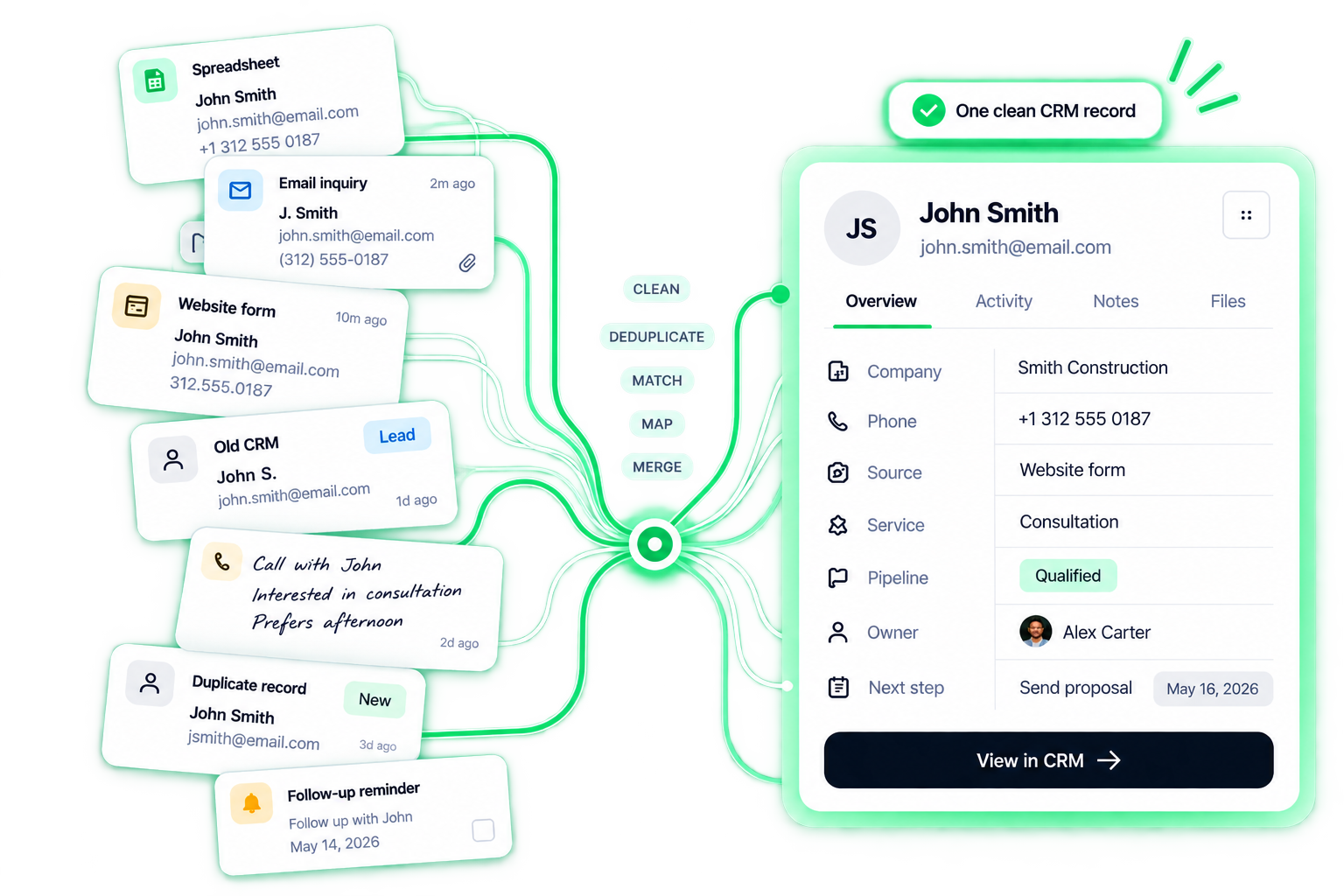
Scattered source records — a spreadsheet row, an email inquiry, a website form, an old CRM entry, a call note, a duplicate and a follow-up reminder — are cleaned, deduplicated, matched, mapped and merged into one clean CRM record for John Smith with company, phone, source, service, pipeline stage, owner and next step.

Your sales process first

Don’t fit your sales process into someone else’s template.

We map the business first, then configure the CRM — not the other way around.

Your real sales process
01Inquiry
02Discovery
03Proposal
04Negotiation
05Won
Customize your process

Illustrative pipeline — we map the business first, then configure the CRM around it.
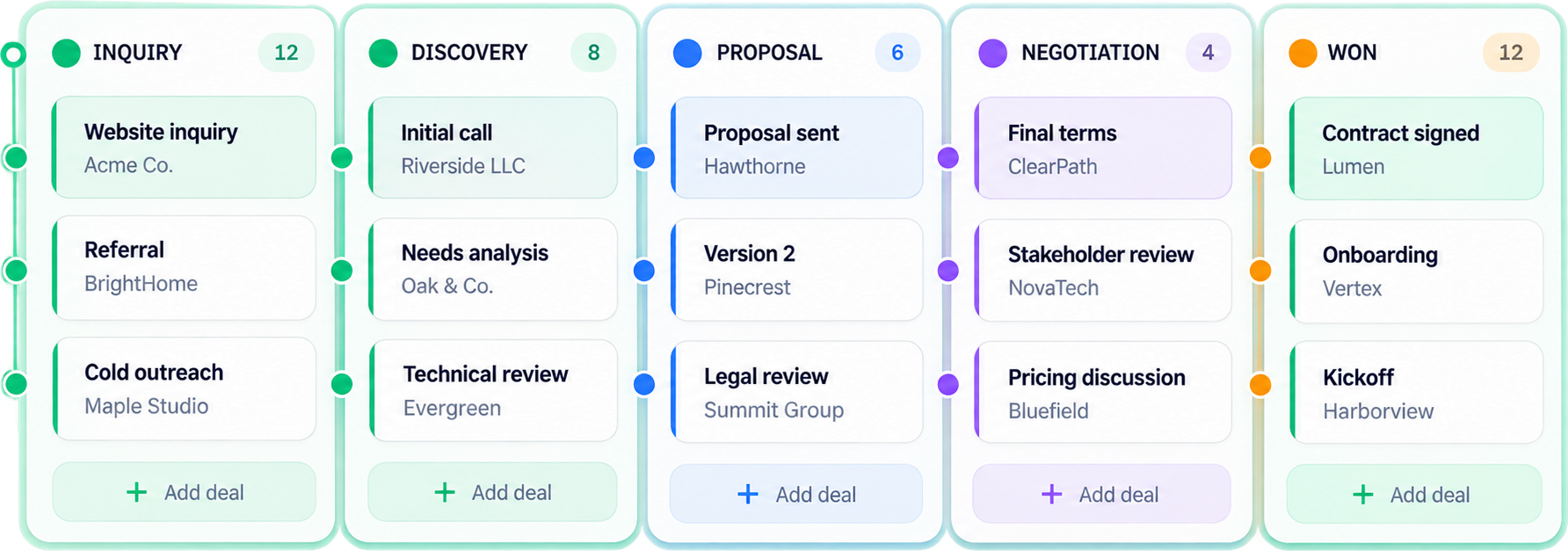
CRM pipelineRebuilt
Illustrative CRM pipeline rebuilt around the sales process — Inquiry, Discovery, Proposal, Negotiation and Won columns with sample deals.

01 · Data cleanup

Don’t migrate
the mess.
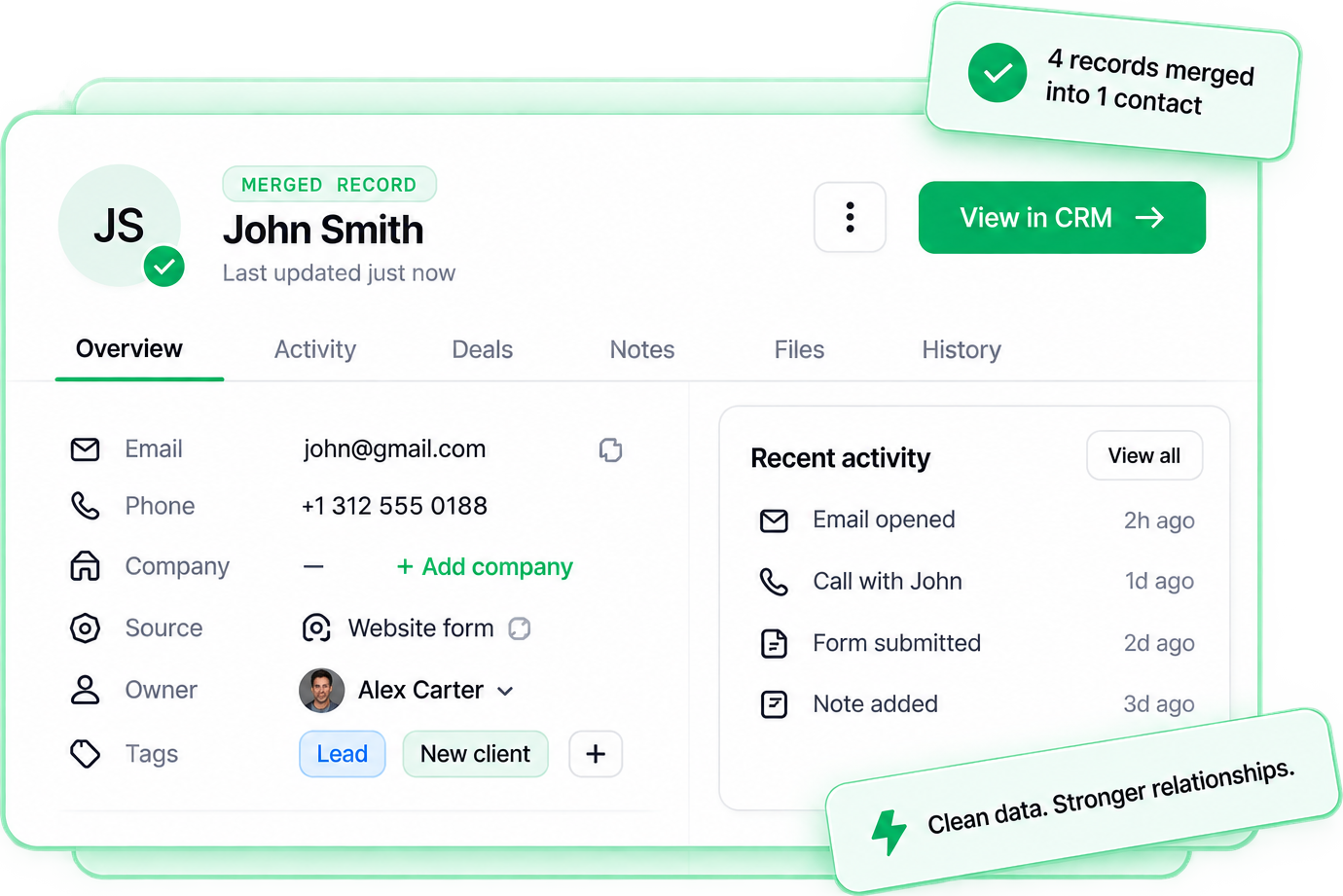
Duplicates, invalid formats, missing fields and conflicts are detected, matched and merged — before anything moves.
Before4 conflicting records
JSJohn Smithjohn@gmail.com
J.J. Smithjohn@gmail.com
JSJohn Smith3125550188
JSJohn Smith+1 312 555 0188
DetectMatchMerge
Illustrative merged CRM record for John Smith — email, phone, source, owner and tags kept, recent activity preserved; 4 records merged into 1 contact.

Illustrative cleanup — duplicates, invalid formats and missing fields are resolved before anything is migrated.

02 · Field mapping

Old data has to land
in the right place.

Every old field lands in the right CRM property — or is flagged for review, or archived. Nothing lands in the wrong place.
Old system
Full Name
Phone Number
Lead Type
Stage!
Sales Rep
Last Contact
Legacy Notes 2
New CRM property
Contact.nameContactMapped
Contact.phoneContactMapped
Deal.typeDealMapped
Deal.stageDealReview
Deal.ownerDealMapped
Activity.last_contactActivityMapped
Legacy Notes 2—Archive
Review required1 of 1

Map “Stage” to a CRM property

We found multiple possible matches based on your data.

Old system
5 fieldsMapped automatically
1 fieldNeeds review
1 fieldArchived (not needed)

Illustrative mapping — every old field lands in the right property, is flagged for review, or is archived.

03 · What we migrate

More than
a contact list.
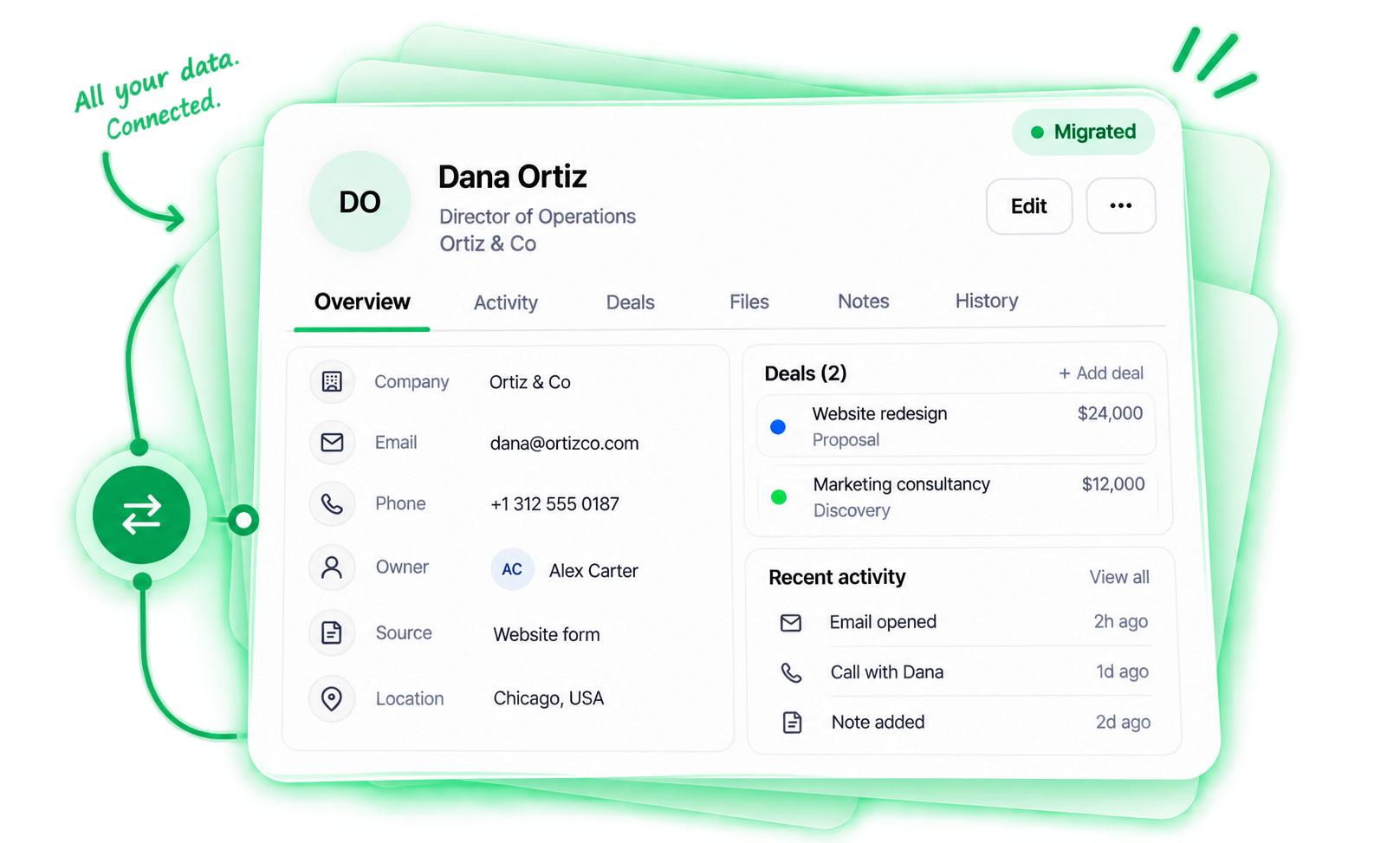
Contacts, companies, deals, notes, activities, files, owners, sources and history — moved with their relationships intact.
ContactsPeople & relationships
CompaniesAccounts & details
DealsPipeline & stages
NotesConversations & context
ActivitiesCalls, emails, meetings
FilesDocuments & attachments
OwnersTeam & assignments
SourcesLead sources & attribution
Illustrative migrated CRM record for Dana Ortiz — company, email, phone, owner, source and location, with two linked deals and recent activity, all marked Migrated.
All records migrated with relationships intact.

Illustrative record — contacts, companies, deals and activity migrate with their relationships intact.

04 · CRM record anatomy

One customer.
The whole context.

Not just where the email is stored — what is happening with this customer right now, and what the next step is.
DO
Dana OrtizActive
Contact
•••
CompanyOrtiz & Co
Emaildana@ortiz.co
Phone+1 312 555 0146
SourceWebsite form
OwnerACAlex Carter
LeadB2BWebsite+
Deal
Website redesign
$24,000 · Acme proposal
Inquiry
Discovery
Proposal
Negotiation
Won
Next step
Follow up FridayMay 16, 2024
Send updated proposal and answer pricing questions.
Documents3Appointments2Notes5
ActivityAll activity
Email openedProposal.pdf2h ago
Call with DanaDiscussed timeline and budget1d ago
Form submittedWebsite redesign2d ago
Page viewed/pricing3d ago
Note addedInterested in Q3 start4d ago
Contact

Illustrative record — one customer, the whole context: who they are, the deal, and what is happening now.

05 · Lead capture

Every lead should land
in the same system.
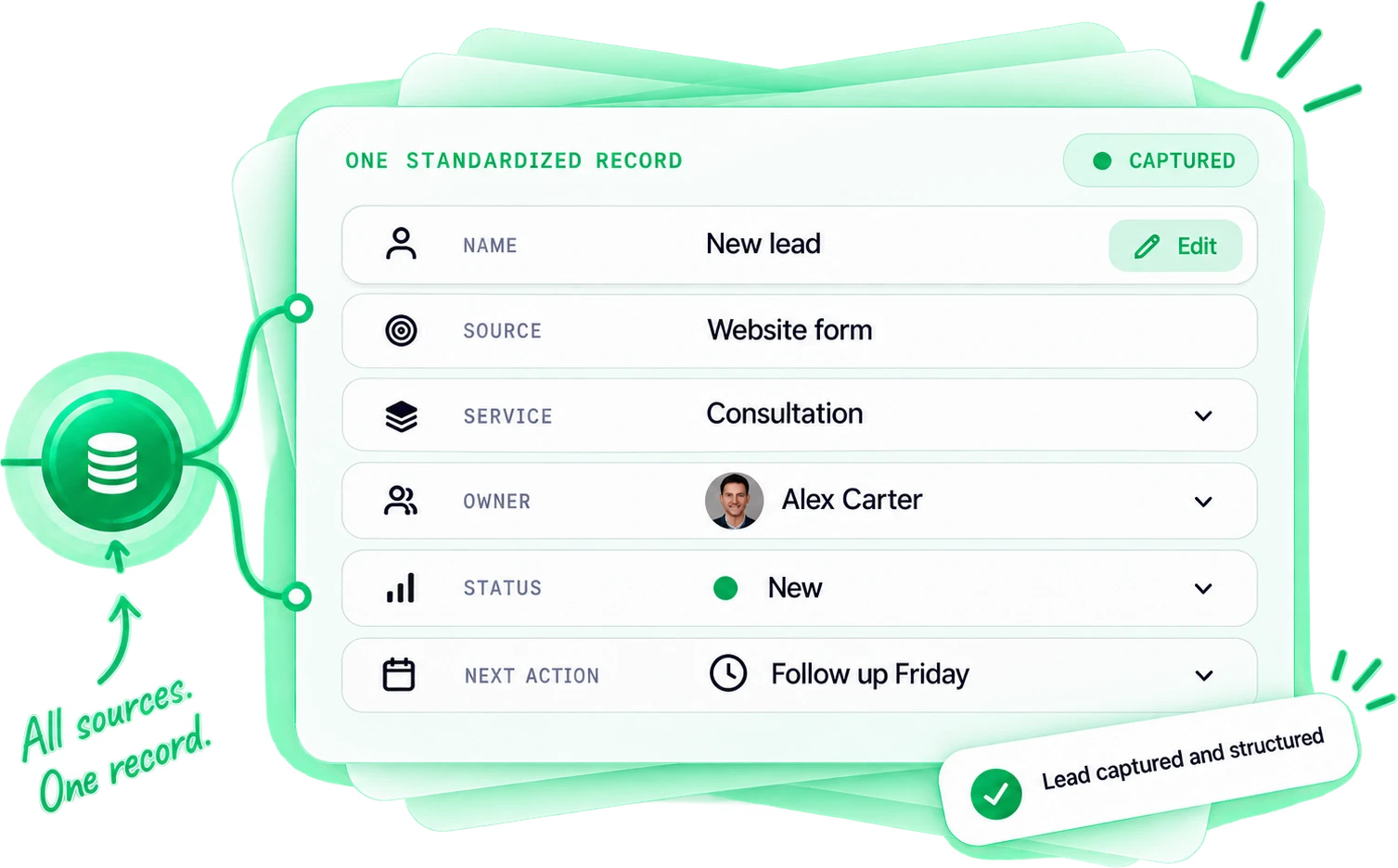
Website, chat, ads, email, phone or booking — every source creates the same structured record with an owner and a next action.
Website formDemo request
ChatLive chat & chatbot
EmailInbound emails
PhoneCalls & voicemails
AdsGoogle, Meta, LinkedIn
BookingCalendly, Acuity, etc.
Illustrative standardized CRM record — name, source, service, owner, status and next action — created the same way from every lead source.

Illustrative capture — different entry points create the same structured CRM record.

06 · Reporting

Report on what
actually matters.

Reports built around operational questions and decisions — not vanity graphs. Switch the question, the dashboard answers it.
DashboardSample data
Pipeline by stage78deals in Proposal
New lead40
Qualified62
Meeting30
Proposal78
Decision22
Insight78 deals are in Proposal, the highest share in your pipeline.

Illustrative dashboard — reports are built around decisions, not vanity metrics. Sample data shown.

07 · Permissions

The right people
see the right data.

One CRM, but reps, owners, managers and admins each see the data and controls that fit their role — switch the role to see it change.
Sales viewHere’s what a Sales rep can see and do in this CRM.Access set
Capability
Own deals
Own tasks
Own contacts
Assigned pipeline
Team pipeline
All deals
Reports
Configuration
Permissions
Sales
Focus on what moves deals forward.

Sales reps see their deals, tasks and assigned pipeline — without the noise.

Key access for sales
View and manage own tasks
Work deals in assigned pipeline
Keep the interface focused
Limited or hidden
No access to all deals or reports
No configuration or permissions

Illustrative roles — one CRM, but each person sees the data and controls that fit their job.

08 · Migration without losing history

Move the system.
Keep the history.
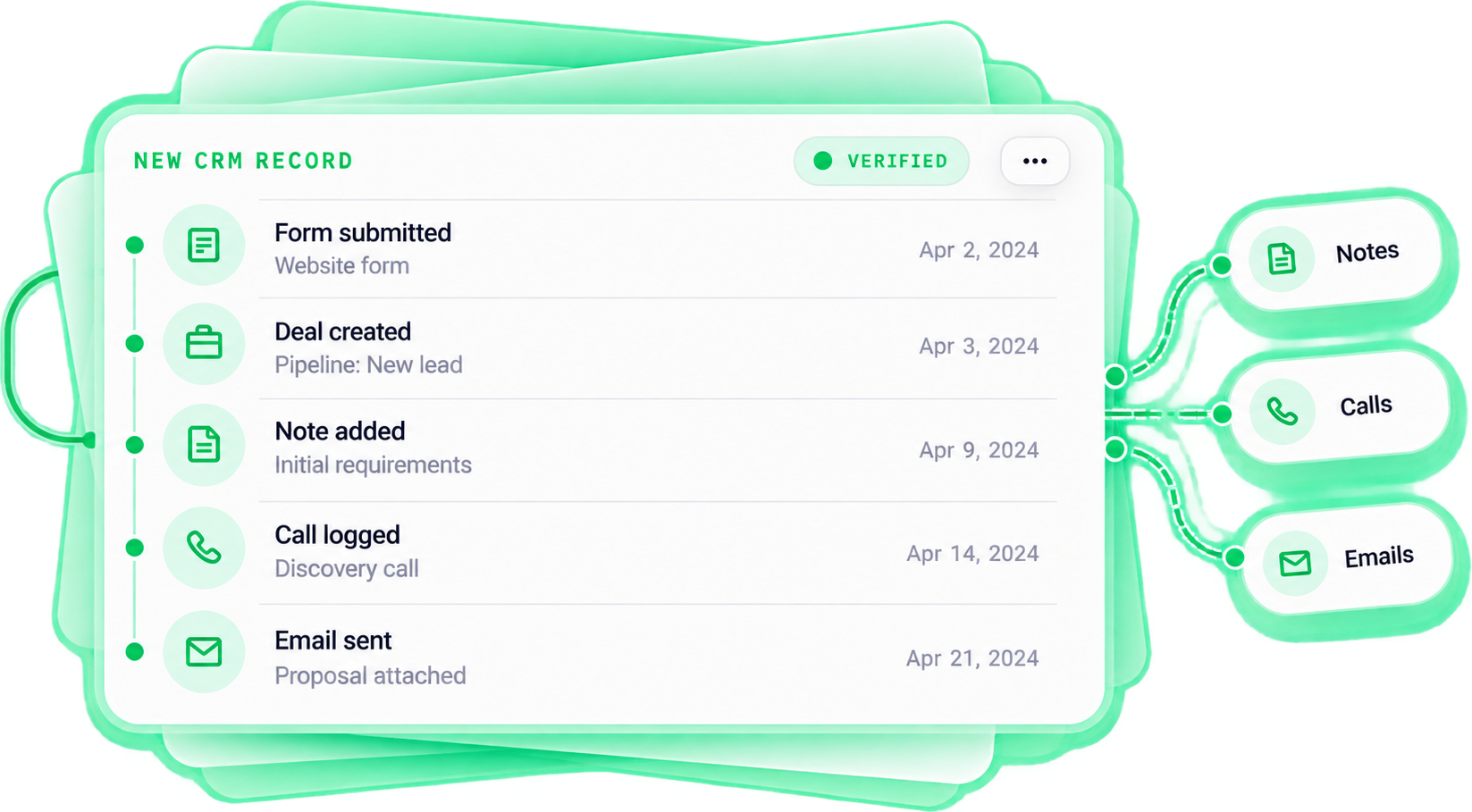
The record moves and every activity — notes, calls, files, emails — comes with it. Verified source-to-destination.
Old recordLegacy system
Form submittedWebsite formApr 2, 2024
Deal createdPipeline: New leadApr 3, 2024
Note addedInitial requirementsApr 9, 2024
Call loggedDiscovery callApr 14, 2024
Email sentProposal attachedApr 21, 2024
Migrate
Illustrative new CRM record, verified — form submitted, deal created, note added, call logged and email sent, with notes, calls and emails kept.

Illustrative migration — the record moves and every activity in its history is kept and verified.

09 · Team adoption

A CRM only works if
people actually use it.

A CRM only works if people use it. The interface should help a rep work — a clear Today view — not add a reporting chore.
TodayA clear view of what to do next.One view
3 follow-upsDeals waiting on your reply+1 today
1 meetingIn your calendar todayStarts in 2h
2 new leadsNeed your attention+2 new
Next best actionUpdate the deal → the next task is already there.Open deal

Illustrative daily view — a CRM people actually use tells them the next action, instead of asking for reporting.

10 · What you get

Not just
a configured account.
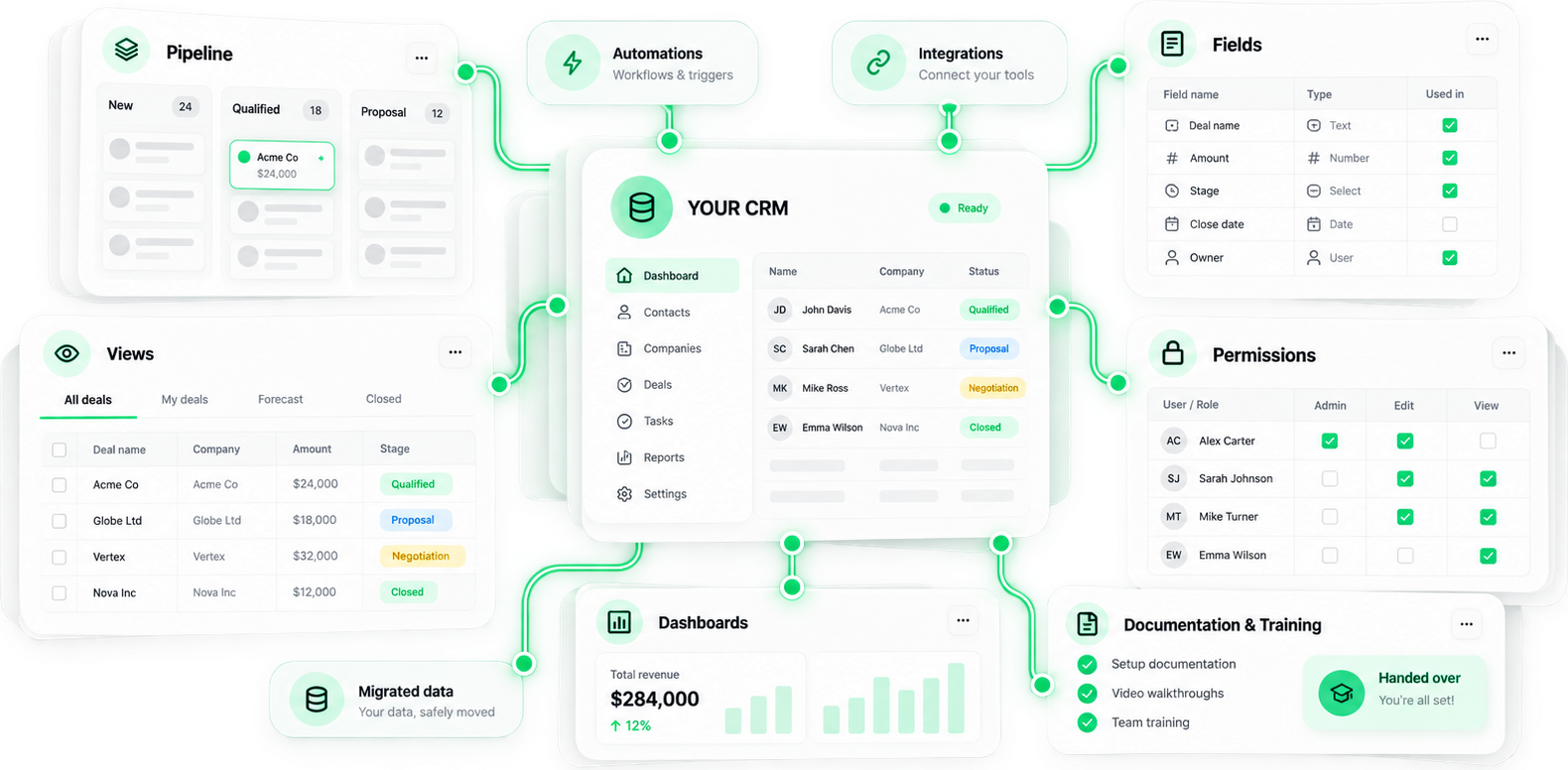
Handed over as a complete, documented system — pipeline, fields, views, permissions, data, automations, integrations, dashboards, docs and training.
Illustrative handover — your CRM at the core, with pipeline, fields, views, permissions, migrated data, automations, integrations, dashboards, documentation and training connected to it.
Built in your account · Documented · Owned by you
Built in your accountSet up in your own CRM, with full admin access and documentation.
Your logic stays with youPipeline, fields, views, permissions, automations and integrations — all yours to change.
No lock-in. Fully handed over.Documentation and team training included. No black box, no dependency.

Not just a configured account — a complete sales system you own, with the data, logic and access handed over.

11 · Who this is for

You probably need a cleaner CRM if…

01Leads live across spreadsheets, inboxes and forms
02Nobody trusts the data
03The same contact appears more than once
04Your CRM stages don't match how you actually sell
05Reps update records manually after every action
06Follow-ups depend on memory
07Management can't see what's really happening in the pipeline
08You're moving from another CRM and can't lose history
FAQ

Straight answers.

What the setup covers, how migration works, and what you own at the end.

We work with established CRMs — HubSpot, Pipedrive, GoHighLevel, Zoho and Airtable-based systems — and choose the one that fits your team size, sales process, automation needs, reporting and budget. The platform is picked to match how you sell, not the other way around.

Ready when you are

Turn your sales process
into a system.

We map your process, clean and migrate your data, structure the CRM around how you sell, connect your sources and automate the busywork — then hand you a system you own.