Mobile App

Built around
what users actually do.

We design, build and launch iOS and Android apps around the few actions users need most — connected to your data, tested on real devices and ready for the stores.
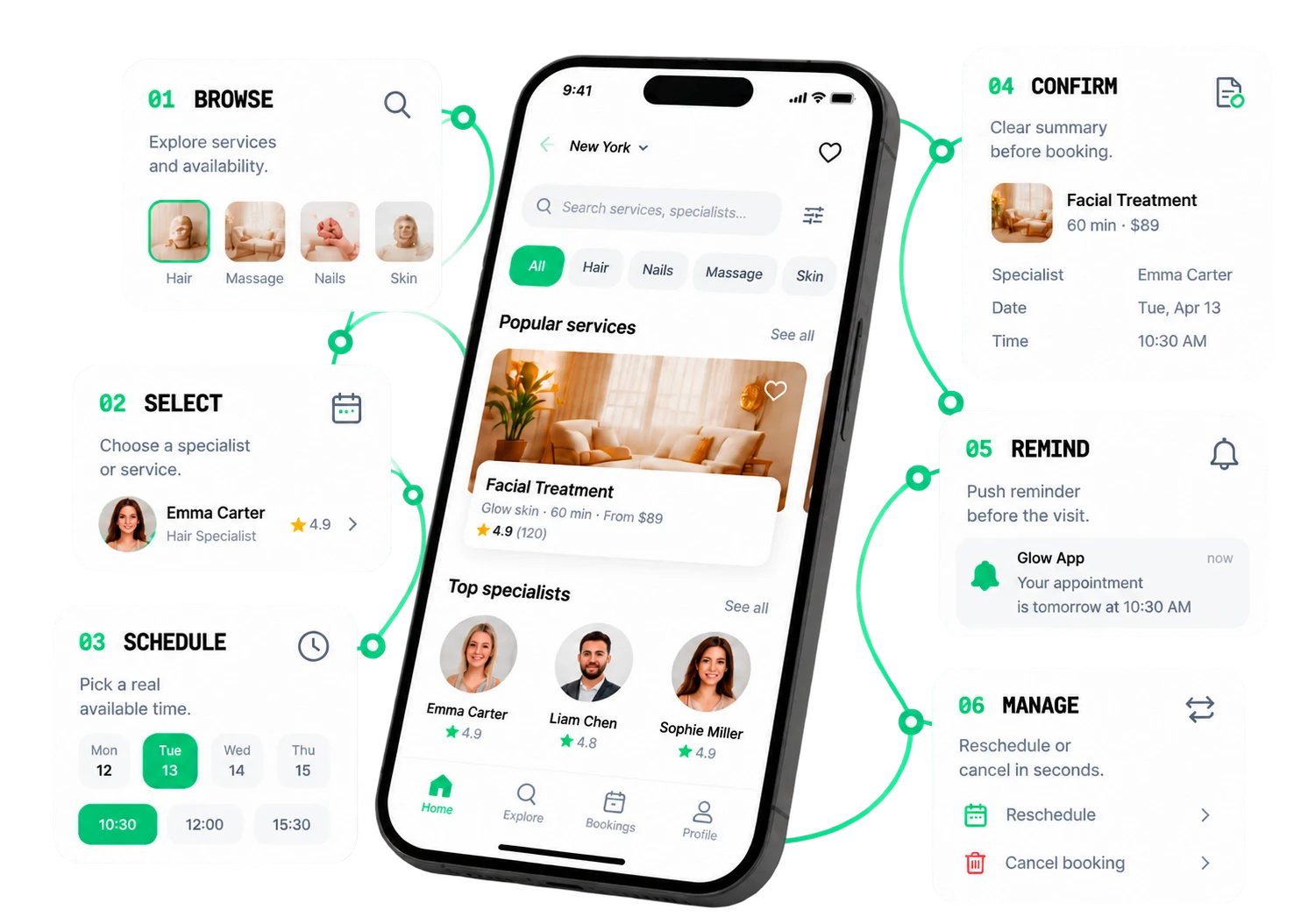
Booking app — browse, select, schedule, confirm, remind, manage

01 · Core actions

Start with
why people open the app.
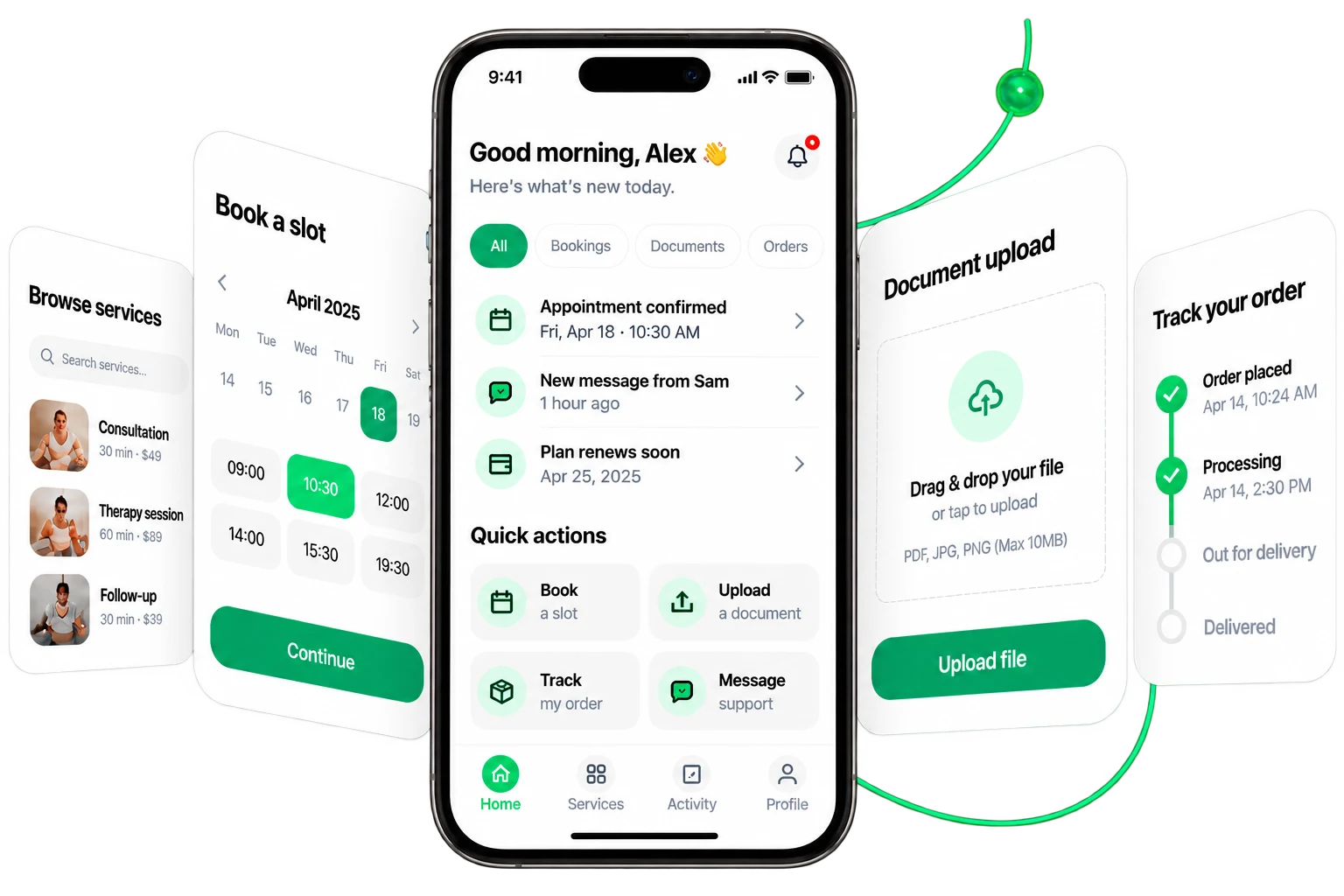
Pick why someone opens the app — the flow rebuilds around it.
App home with quick actions — book a slot, upload a document, track an order
Flow
Check
3 taps
1
Open
People come to check what's new.
2
Today
Show relevant updates instantly.
3
Detail
Let them take the next step.

Scope is built around the actions people repeat — not every screen the app could have.

02 · Fewer taps

Remove the taps
that don't need to exist.

Watch the long journey compress.
01OpenNeeded
02MenuExtra
03SectionExtra
04SearchExtra
05ItemNeeded
06ActionNeeded
07ConfirmDone

4 / 7 taps needed

Every tap is a chance to give up.

03 · iOS + Android

Same product.
Right behaviour on each platform.
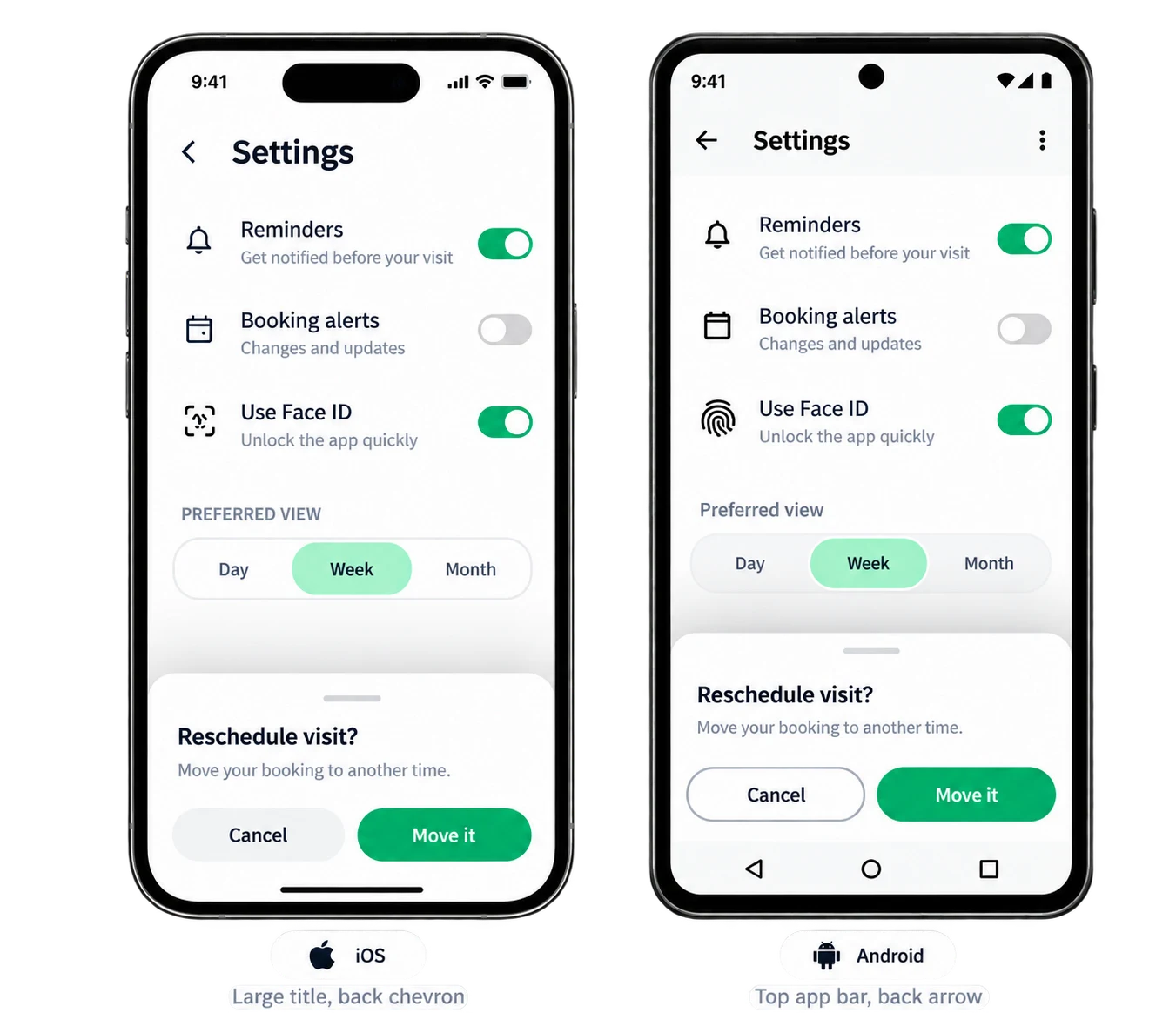
One interface, two sets of platform conventions.
The same settings screen on iOS and Android
Navigation
Different header conventions.
iOS
Settings
Large title, back chevron
Android
Settings⋮
Top app bar, back arrow
Back
Platform-native behaviour.
iOS
Swipe from the edge
Android
System back gesture
Controls
Native components for each platform.
iOS
Rounded switch, segmented control
Android
Material switch, chips
Sheets
Different presentation styles.
iOS
Detented bottom sheet
Android
Modal bottom sheet with scrim
Feedback
Platform-native interactions.
iOS
Haptic tick
Android
Ripple on touch
1 / 5

Same product, same task, same data — the conventions change so the app feels at home on each phone.

04 · Device capabilities

Use the device
when it earns its place.
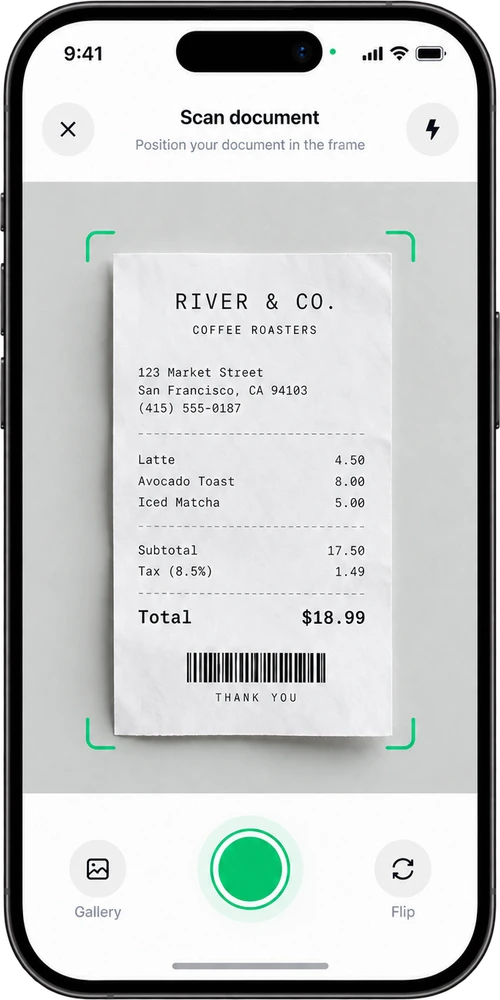
Only the capabilities the task needs.
Camera — Upload a document

Point, capture — the edges are found for you.

05 · Online / offline / sync

The app shouldn't
fall apart offline.

Same screen, through a lost connection and back. Work stays saved and syncs automatically.
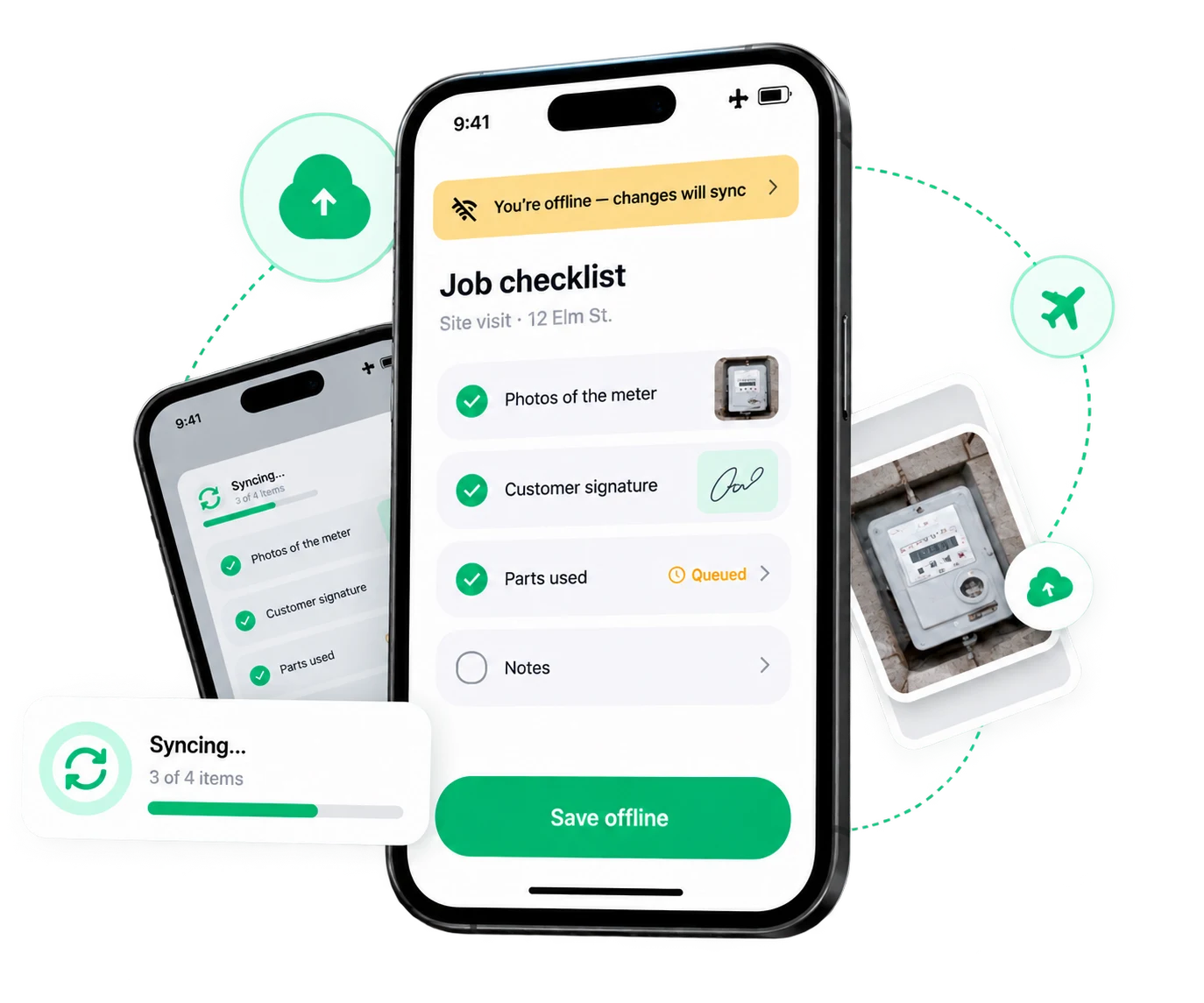
Works offline
Keep using the core flow with no connection.
Saves locally
Changes are stored safely on the device.
Auto sync
Everything updates when the connection returns.

Offline is planned where it's justified — a field checklist, a saved document, a ticket — not promised for every feature.

06 · App ↔ backend

The app is only
the front end of the system.

One user action, all the way to confirmed state.
01
User taps
Reschedule to 16:00
tap
02
App
Optimistic update
local state
03
API
Request sent
PATCH /bookings/482
04
Backend
Your business data
booking saved
05
Confirmed
Slot locked, staff notified
200 OK
06
App updates
Shows 16:00 · confirmed
state synced

The app starts with what the user did and ends with a state they can trust. The API, auth and your existing systems sit in between — connected properly, not mocked.

07 · Push → deep action

Give them
a reason to return.

Useful updates, not marketing spam.
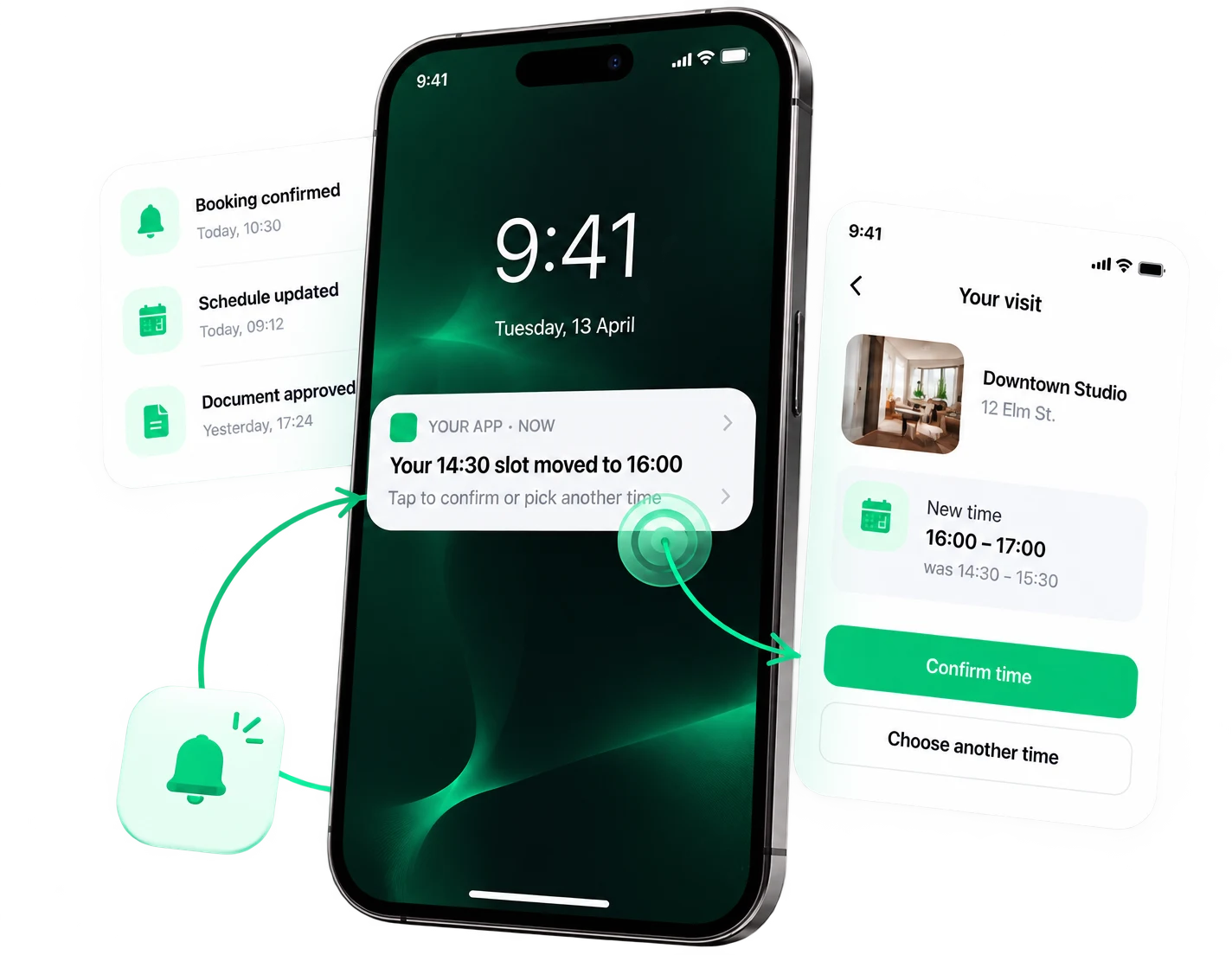
1
Status changes
Notify users about important updates.
2
Push arrives
A clear and relevant notification.
3
User taps
Opens the exact task, not the home screen.
4
Lands on the right screen
The app takes the user straight to the content.
5
Action done
The user completes the task in a tap or two.

08 · What you get

An app
your business can keep growing.
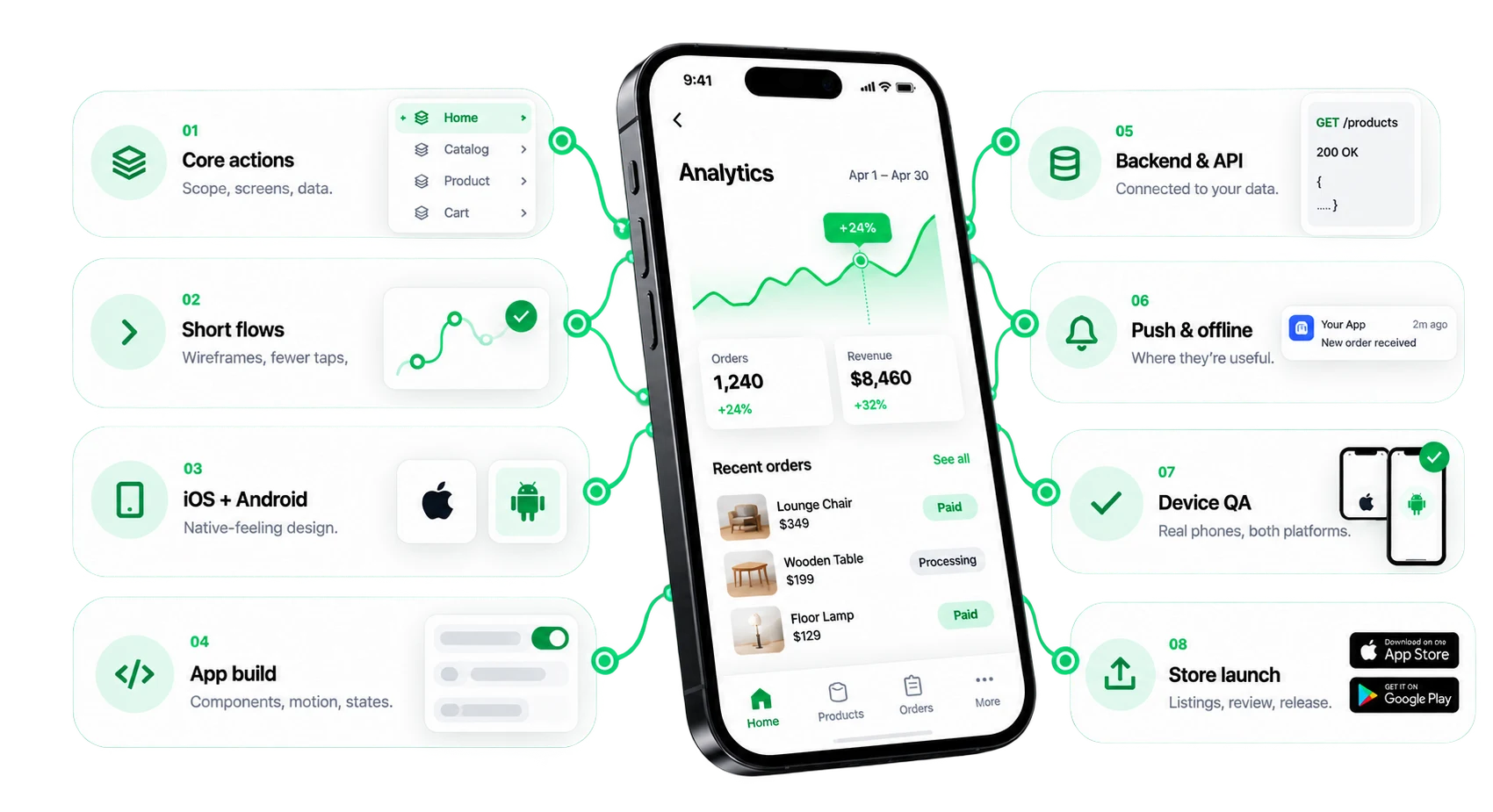
From core action to live app.
App at the centre of core actions, flows, platforms, build, backend, push, QA and store launch
Connected app
Screens, backend, push and analytics work as one product.
Beyond pretty screens
Built around the few actions users repeat — then shipped.
Ready to keep growing
Documented, extendable, 30 days of support, client owned.

09 · What it is not

Not just
an app design.

An app isn't a set of pretty screens. It's a product people use and come back to.
No
Every screen the app could have
Five taps to do one thing
The same UI forced onto both platforms
Blank screens without a connection
Notifications nobody asked for
Tested only in a simulator
An app you don't own
Yes
✓Built around core actions›
✓Short, tested flows›
✓Native feel on iOS & Android›
✓Connected to your backend›
✓Offline & push where useful›
✓Real-device QA›
✓Shipped to both stores›
✓Full ownership›
Yes
FAQ

Straight answers.

Platforms, backend, offline, stores — and what you own at the end.

Yes. We build for both platforms in a single project, designed to feel native on each, with platform differences handled in the build rather than passed on to your users.

Live

Build the app
people come back to.

Open → action → sync → return → live.