

Booking & Scheduling
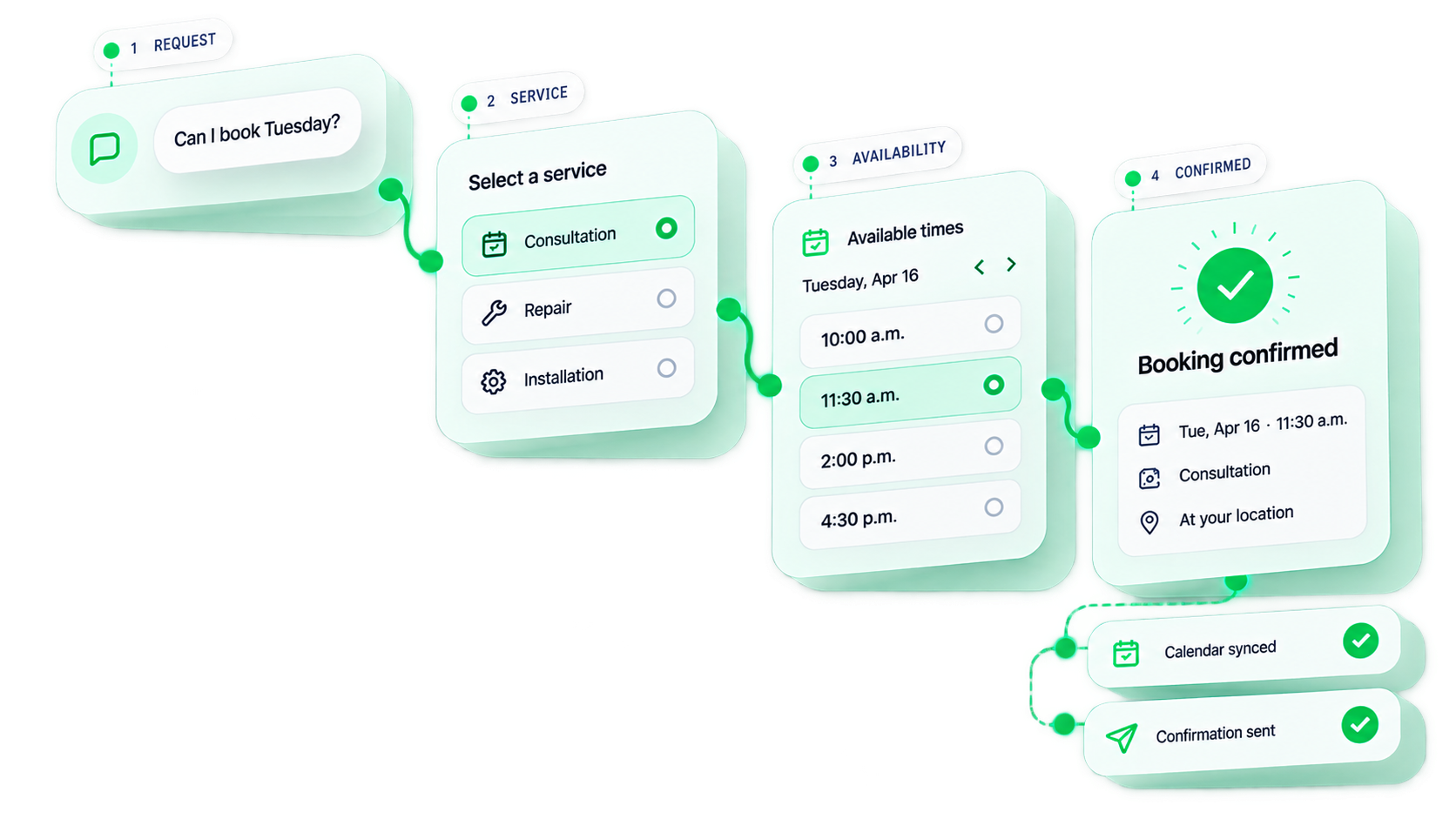
From “can I book?”
to confirmed.
A booking system built around your services, availability, team, resources and routing rules — so customers find the right time in seconds, and your system knows exactly what to do with the booking.
01 · Booking availability
See real-time availability
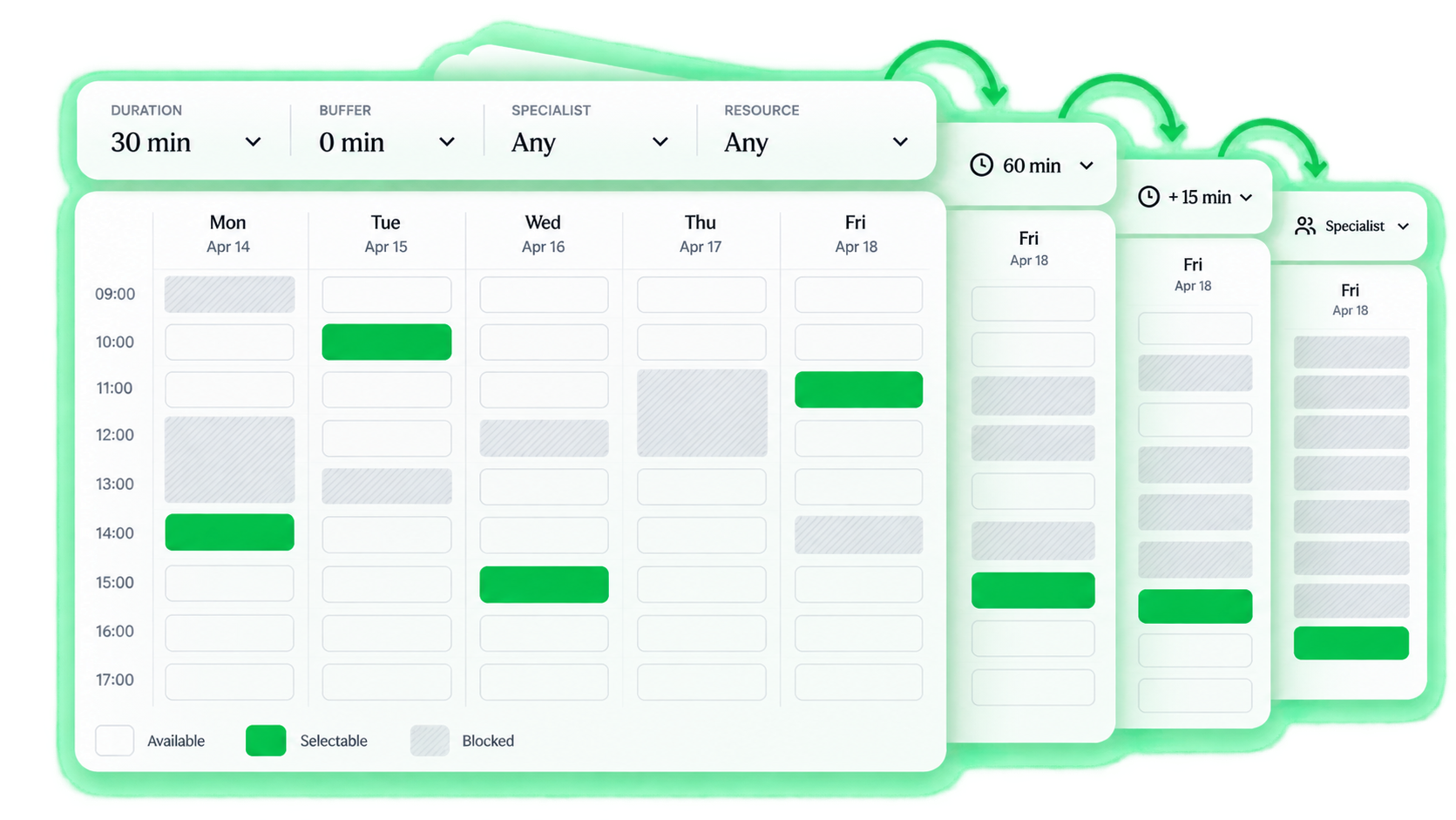
Adjust the duration, buffer, specialist or resource and instantly see what’s available. Availability isn’t a fixed calendar — it’s computed from your rules.
Illustrative availability — duration, buffer, resource, staff and location all reshape the real grid.
02 · Multi-resource booking
Some bookings need
more than a person.
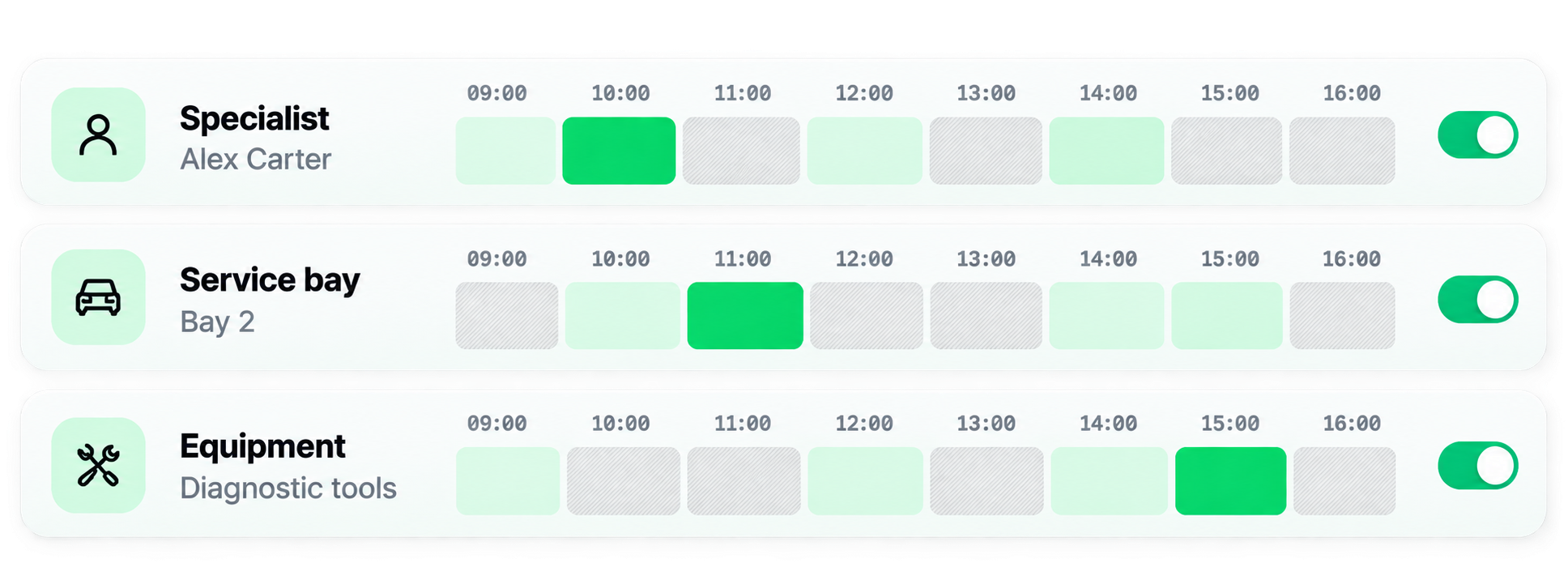
Illustrative multi-resource logic — a clinic (doctor + room) or venue (staff + space) works the same way.
03 · Booking is a decision system
A calendar is only
the last step.
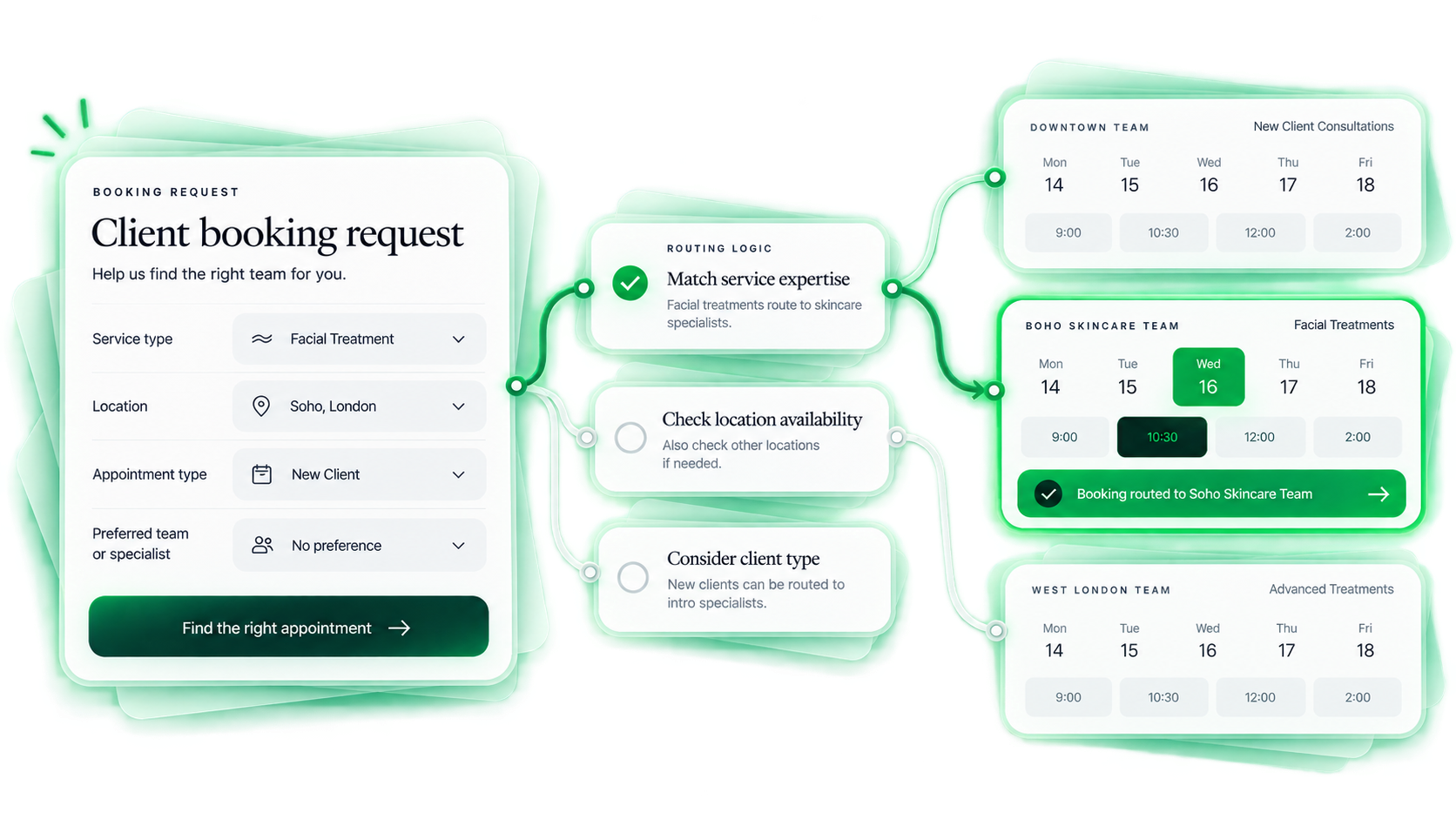
Before a calendar can show a time, the system decides what’s being booked, who takes it, which resource it needs and how long it takes — so you only ever offer times that actually work.
Illustrative — availability depends on the service, resource, duration and rules behind it.
04 · Staff availability
Let the system find
who’s available.
At 11:00, the system can assign Mike or Jordan.
Illustrative staff matching — assignment can follow availability, service, specialty or territory.
05 · Calendar sync
One booking.
Every calendar updated.
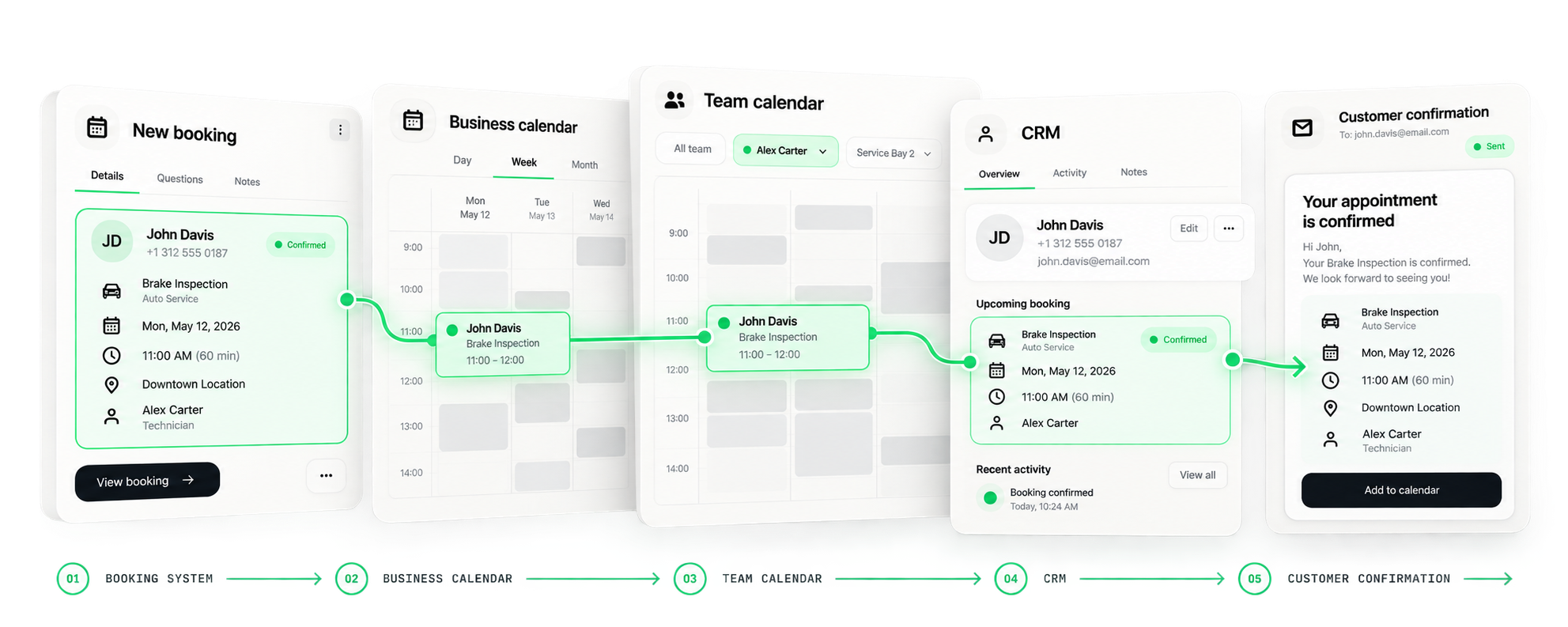
 Business calendarEvent createdTeam calendarTime blocked
 CRM recordCustomer updated
 CustomerConfirmation sent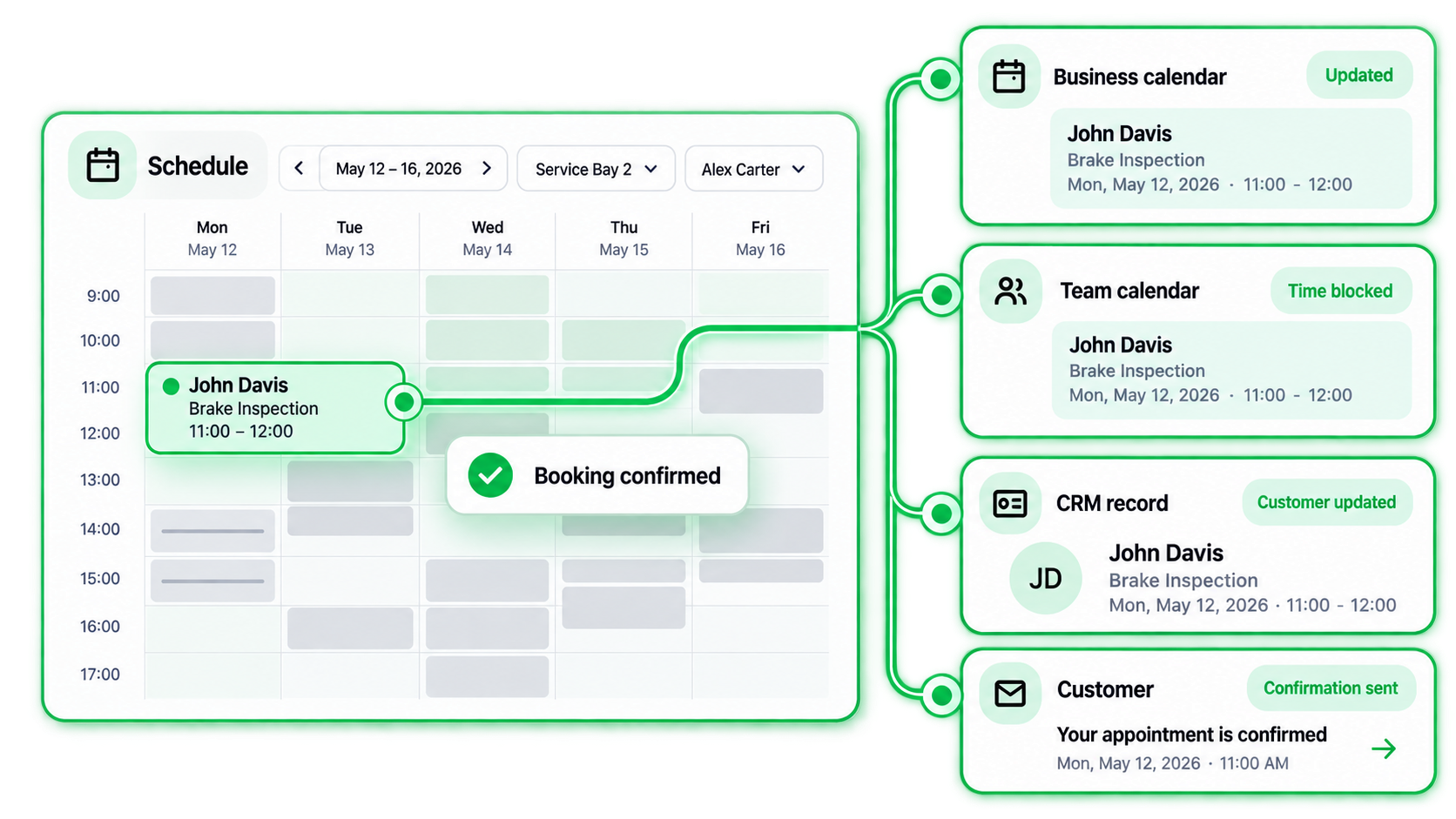
Illustrative sync — connects to the calendar, CRM and channels you already use (Google, Outlook and more).
06 · Confirmation & reminders
The booking should
feel finished.
A clear confirmation the customer can act on — add to calendar, reschedule or cancel — followed by reminders on a timeline that fits your business.
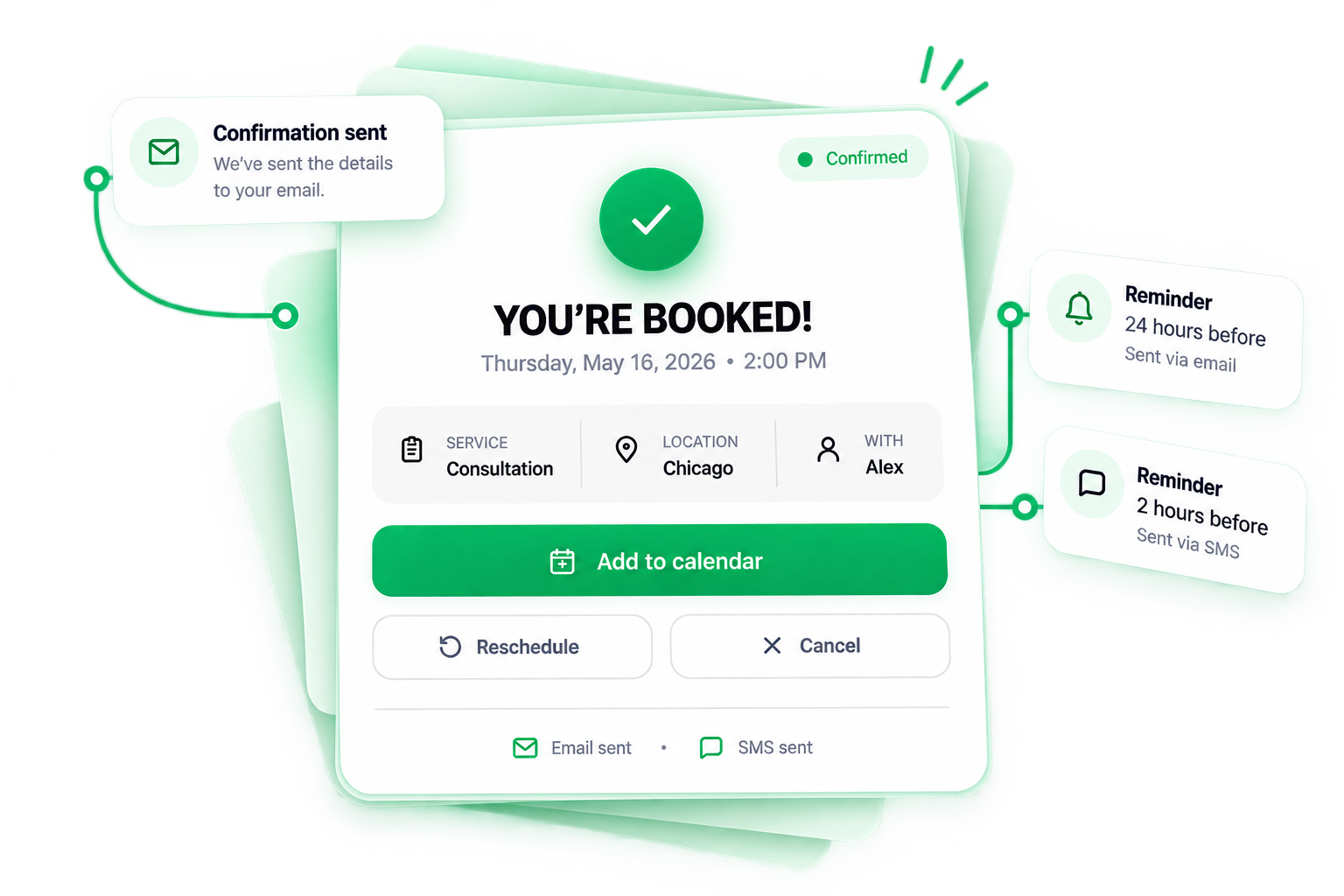



Illustrative timing — reminder intervals and channels are set to fit your business, not fixed by us.
Email and SMS are sent only where those channels are part of your setup.
07 · Rescheduling
When plans change,
the booking moves with them.

A customer asks for a new time.

The previous time becomes available again.

The appointment moves to the new time instantly.

All calendars and notifications refresh automatically.
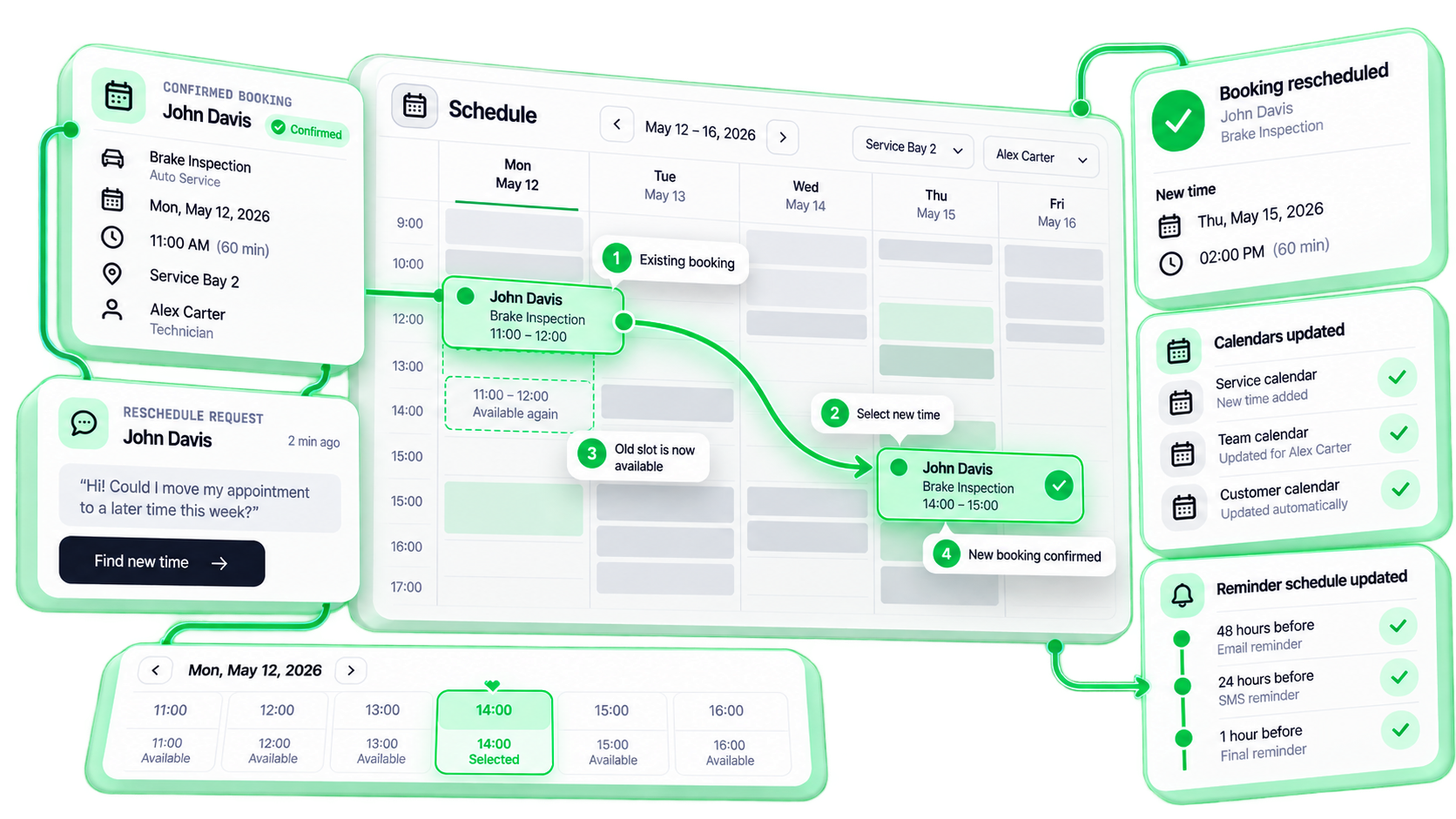
Illustrative reschedule — one action releases the old time, re-books, re-syncs and re-reminds automatically.
08 · Test the rules
Not every request
is a clean booking.
Books the time, confirms and syncs.
Illustrative edge cases — we test the real rules of your booking system before customers ever use it.
09 · How HiKit builds it
From business rules
to booking flow.
 01
01 02
02 03
03 04
04 05
05 06
06The system gains logic step by step — from an empty schedule to a booking flow that fits how you actually work.
10 · Who this is for
11 · What you own
Your booking system.
Your rules. Your data.
Built in your own accounts and handed over as a complete, documented system — services, availability, routing, connections, reminders and access. No black box, no lock-in.
Set up in your own tools, with full access and documentation.
You control services, availability, routing, reminders and connections.
You own everything. No black box, no dependency.
Everything is built in your own tools and accounts, documented, and owned by your business.
12 · What this is
Not this
- ✕Generic scheduling link
- ✕One duration for everything
- ✕Manual routing
- ✕Double-checking calendars
- ✕Copying booking details by hand
- ✕Disconnected reminders
This
- ✓Business-specific booking flow
- ✓Real availability logic
- ✓Routing to the right person
- ✓Calendar sync
- ✓Customer intake
- ✓Clear confirmation you own
What the setup covers, how the booking logic works, and what you own at the end.
Mapping your services, team, resources, locations and rules; designing the customer booking journey, availability logic and routing; connecting your calendar, forms and CRM; configuring durations, buffers and confirmations/reminders; testing the flow (including reschedule, cancel and edge cases); documentation; and a walkthrough at handover. You end up with a working booking system that you own.
Ready when you are
Make it easy to
find the right time.
We design the booking journey, build the availability and routing logic, connect your calendar and CRM, test the edge cases — then hand you a working system you own.