Custom Web Application

Turn the process
into software.

We turn complex business processes into custom browser-based platforms with the roles, data, logic and integrations your team actually needs.
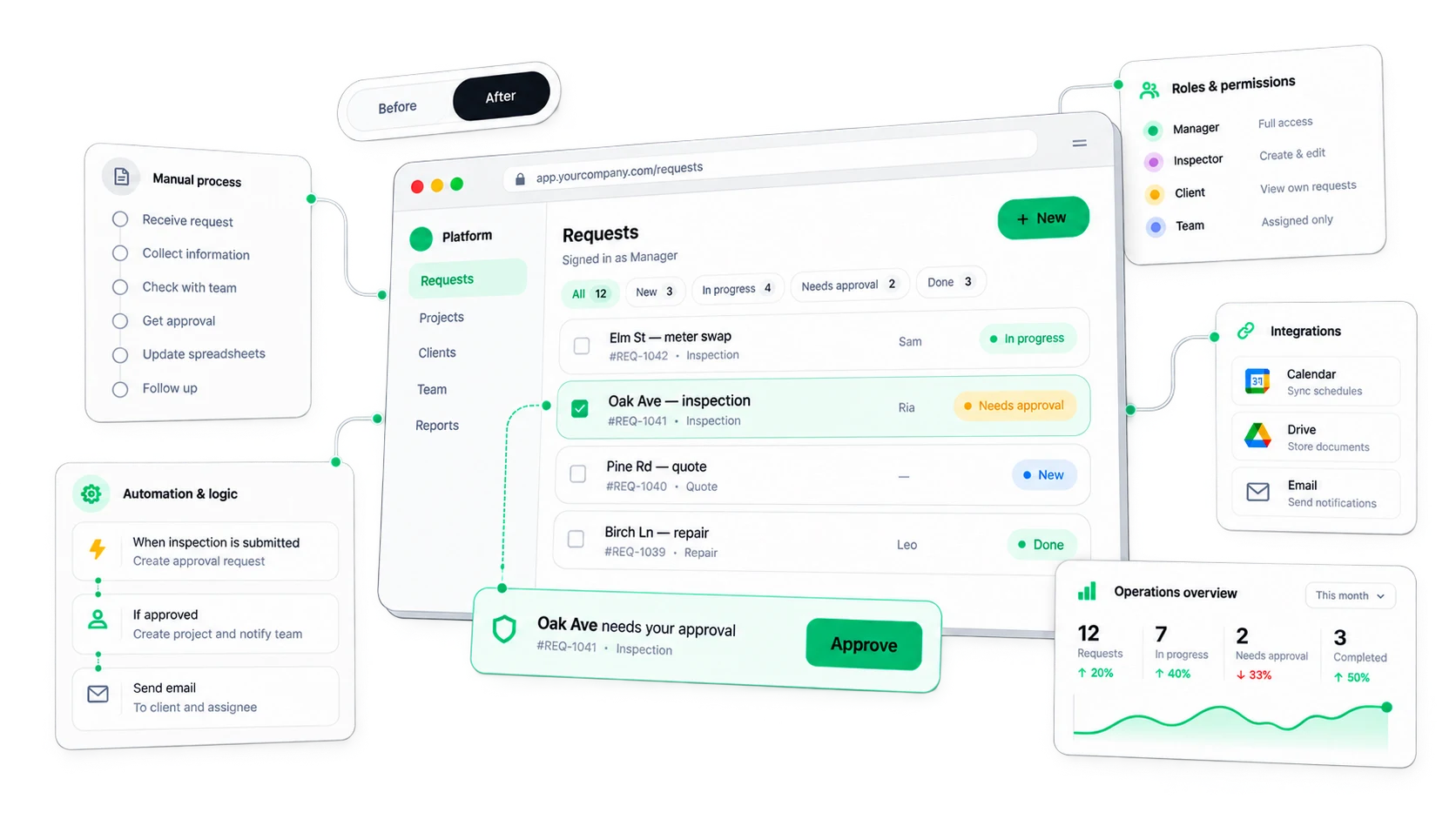
Messages, spreadsheets and emails turned into one custom platform

01 · Map the real process

Design the system
around the work.
Switch the role — see who does what at each stage.
01RequestClient
02ReviewManager
03AssignManager
04Do workTeam
05ApproveManager
06CompleteClient

3 / 6 stages · Manager

Software follows the real process.

02 · Roles + permissions

The same platform.
Different responsibilities.
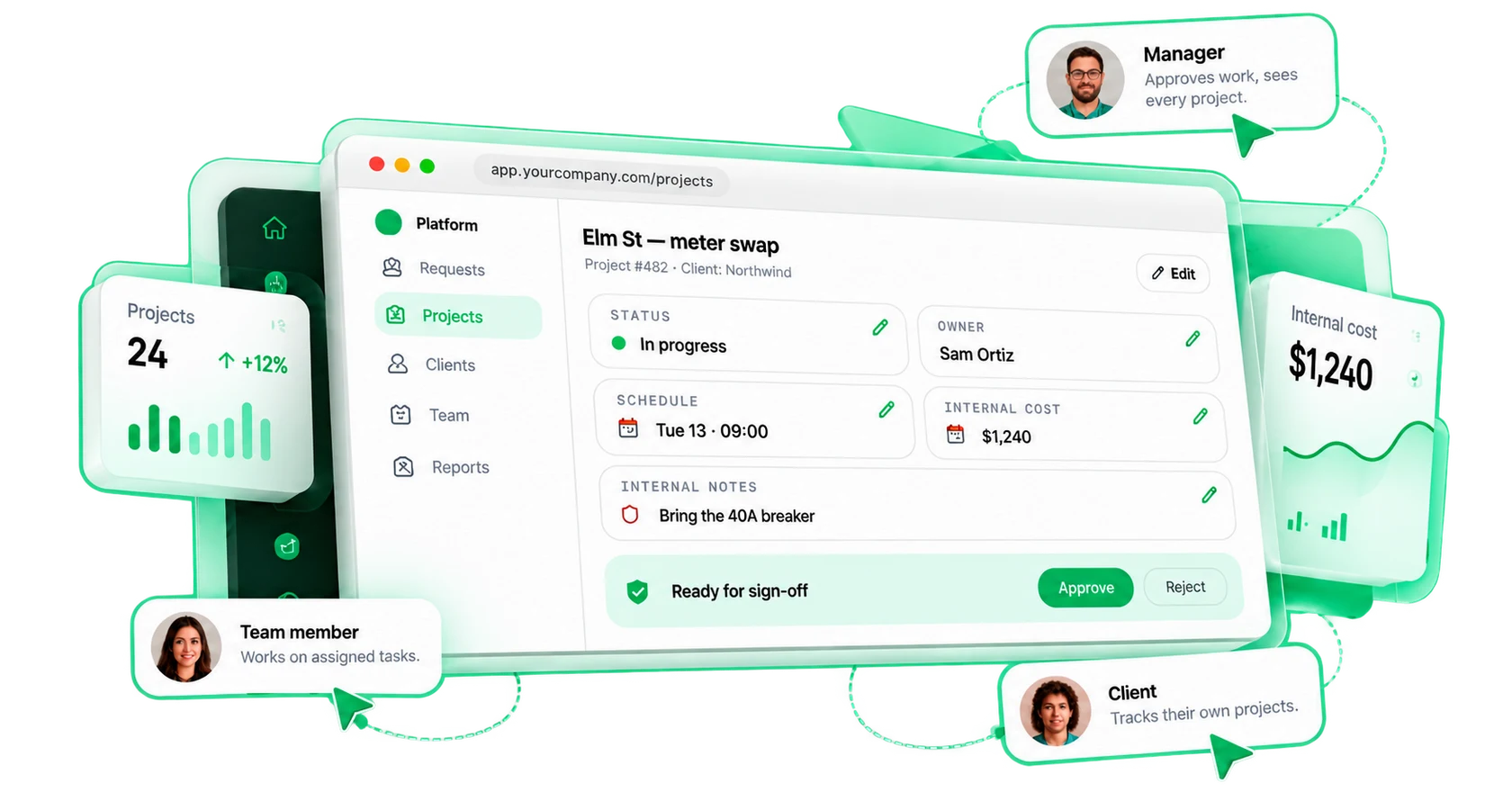
One interface adapts to who's signed in.
Platform as seen by Manager
View all projects
See progress, timelines and details.
Edit records
Update data and keep information accurate.
Approve work
Review and sign off on completed tasks.
See internal cost
Track budgets and resources.
Manage users
User management is restricted.

Manager: Approves work, sees every project.

03 · One source of truth

Stop copying
the same data between tools.

Five copies become one structured record.
SpreadsheetNorthwind · Elm St
CRMNorthwind Ltd.
Email"status?" · 14 replies
FormRequest #482
NotesSam: bring breaker
Record · Project #482
Client
Northwind Ltd.
Project
Elm St — meter swap
Status
In progress
Owner
Sam Ortiz
Documents
3 files
History
12 events
ProjectsScheduleClient portalReportsuse the same record

04 · Business logic

The platform
should know the rules.

One action, checked against your rules.
app.yourcompany.com/requests
Submit request
JobOak Ave — inspection
Amount$1,240
Photos4 attached
Submitted byRia (manager)
Submit
System checks
Role
Status
Required data
Business rule
Then

Manager role, all data present, under the $2,000 limit.

05 · Manual work → system action

Remove the work
between the work.

Six hand-offs collapse into platform behaviour.
01Form submittedStart
02Read the emailBy hand
03Copy the dataBy hand
04Update sheetBy hand
05Message managerBy hand
06Create a taskBy hand

5 hand-offs by a person

Every hand-off is a person copying something somewhere.

06 · Integrations

The platform should fit
the tools you keep.
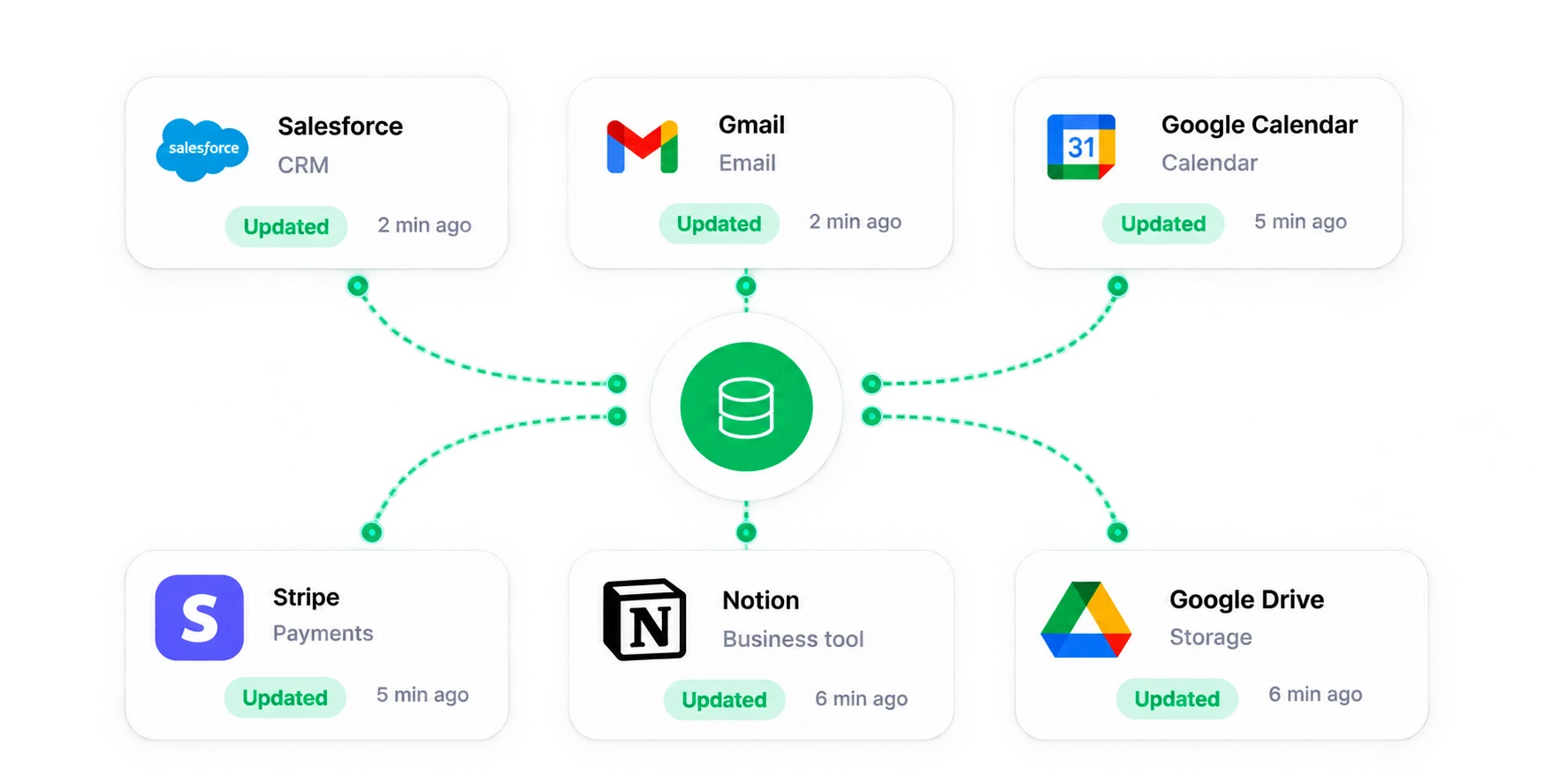
One approval — the tools you keep update.
app.yourcompany.com/projects/482
Elm St — meter swap
Needs approval
Deal stage updated in CRM
Client notified by Email
Visit scheduled in Calendar
Invoice issued in Payments
Job synced to ERP
Report filed in Storage
0 tools updated·1 structured record·No manual copy-paste
One platform record updating CRM, email, calendar, payments, business tool and storage

07 · Edge cases

Real workflows
aren't happy paths.
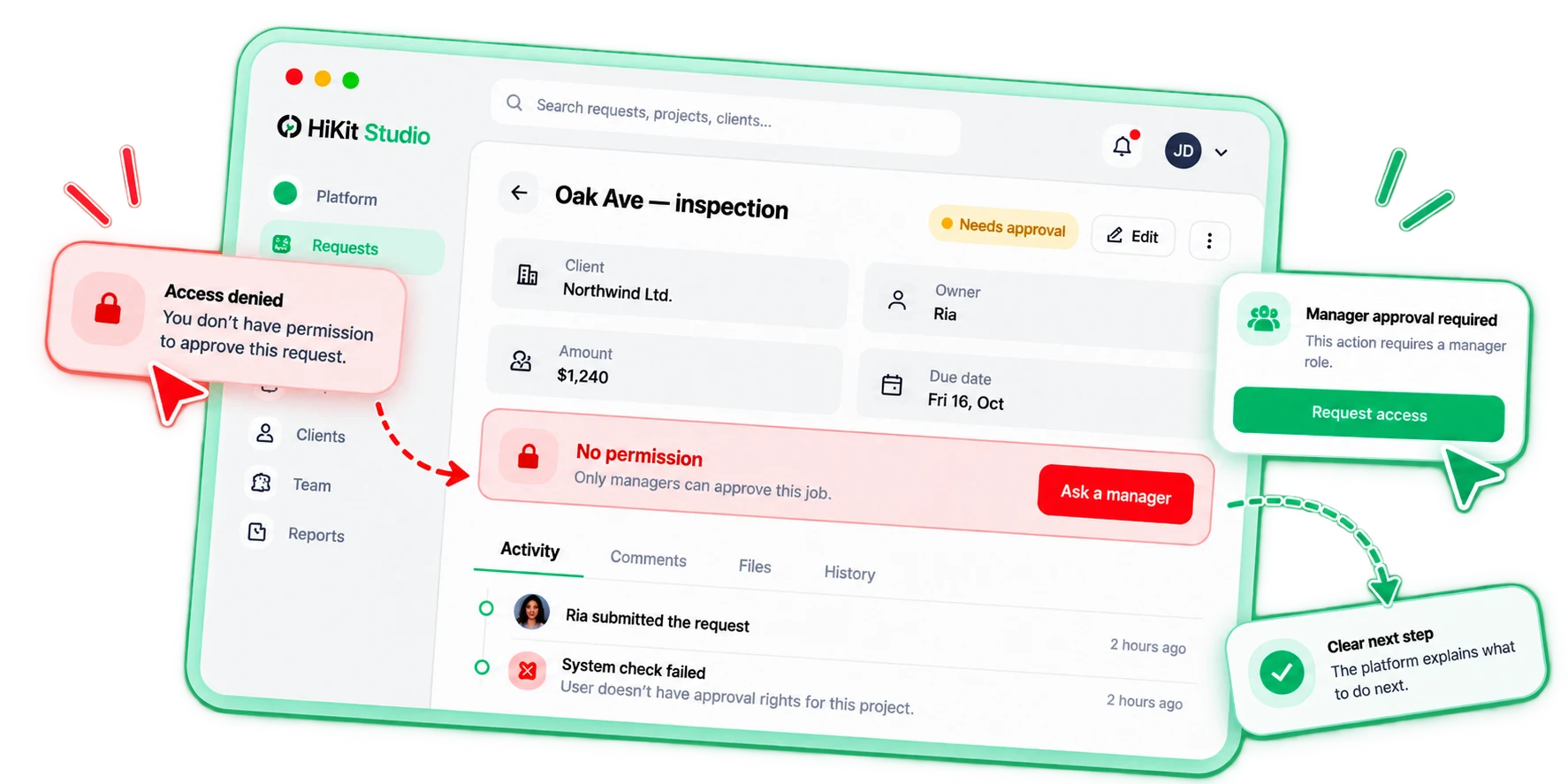
Same process, the moments that go wrong.
Platform handling a permission error with a clear next step

08 · Grow the system

Start focused.
Expand the system.

Focused first version, stable architecture.
Your platformVersion 01
RequestsCore workflow
ScheduleLater
Client portalLater
BillingLater
Same data model · same architecture
EmailCalendarCRMPayments
Modules1
Roles2
Integrations1

Version one scopes what ships now and what waits. Each next step builds on the same foundation instead of starting over.

09 · Real workflow QA

Test the work,
not just the screens.

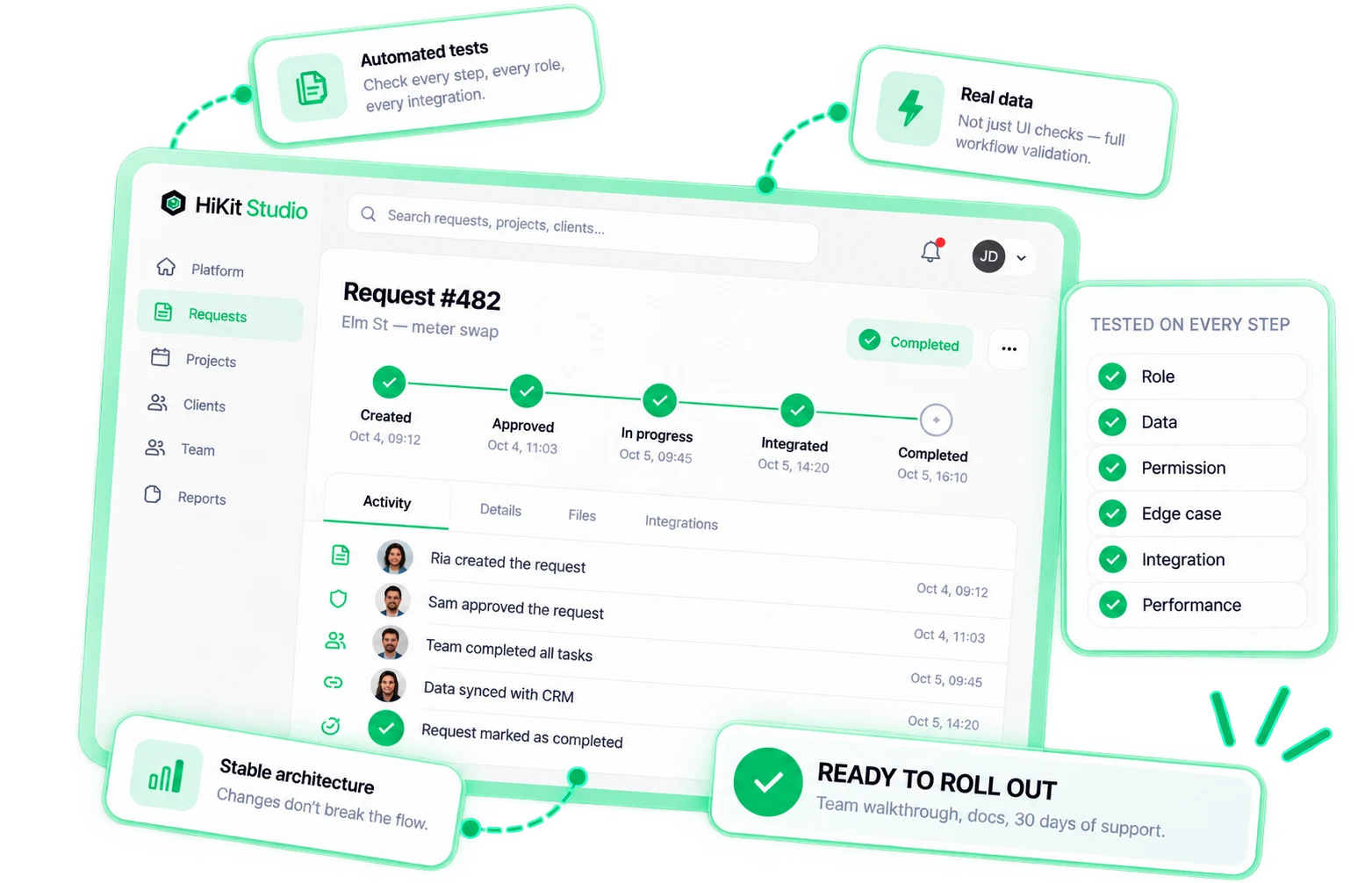
One full workflow passes every test.
User creates record
Client submits a new request.
Manager approves
Request is reviewed and approved.
Team processes
Tasks are assigned and completed.
Integration fires
Data is synced with external tools.
Status updates
All systems reflect the latest status.
Final result
Record is completed and archived.
Request #482 passing every workflow step with tests on role, data, permission, edge case, integration and performance

10 · What you get

Your platform.
Your data. Your code.
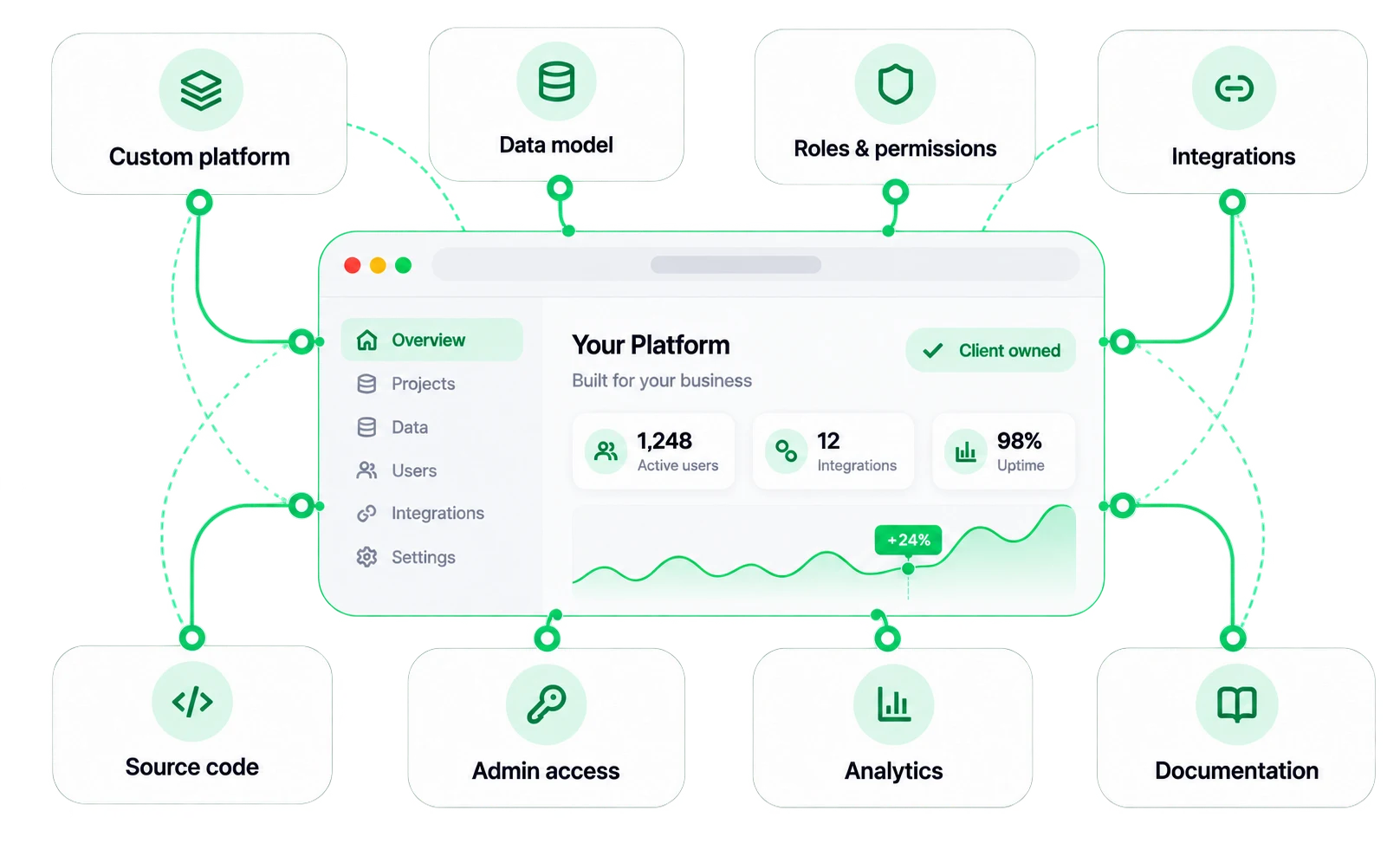
Everything handed over — client owned.
Custom platform handed over: data model, roles, integrations, code, admin access, analytics and documentation
One system
Process, people, data and rules in one browser-based platform.
Built around your work
Not a template bent to fit — software shaped by the real process.
Yours to keep
Platform, data, code and accounts — documented, with 30 days of support.

11 · What it is not

Not just
another dashboard.

A web app isn't a dashboard template. It's the way your business runs, as software.
No
A generic SaaS dashboard
Spreadsheets on the side
Data copied between five tools
Everyone sees everything
Rules that live in people's heads
Only the happy path tested
A platform you don't own
Yes
✓Built around the real process›
✓Roles & permissions›
✓One source of truth›
✓Business logic built in›
✓Connected to your tools›
✓Edge cases handled›
✓Real-workflow QA›
✓Full ownership›
Yes
FAQ

Straight answers.

Custom vs off-the-shelf, roles, data, version one — and what you own.

A website shows information and drives an inquiry. A web app does work: people log in with a role, work with shared data, take actions, and the system applies your rules and updates other people and tools.

Live

Build software
around the way you work.

Manual process → structured data → roles → logic → connected system.