Workflow Automation

Turn manual work
into a system.

We map your repetitive process, connect the tools you already use, and build automations that move information, trigger actions and keep the right people in control. Not another app — a working system.
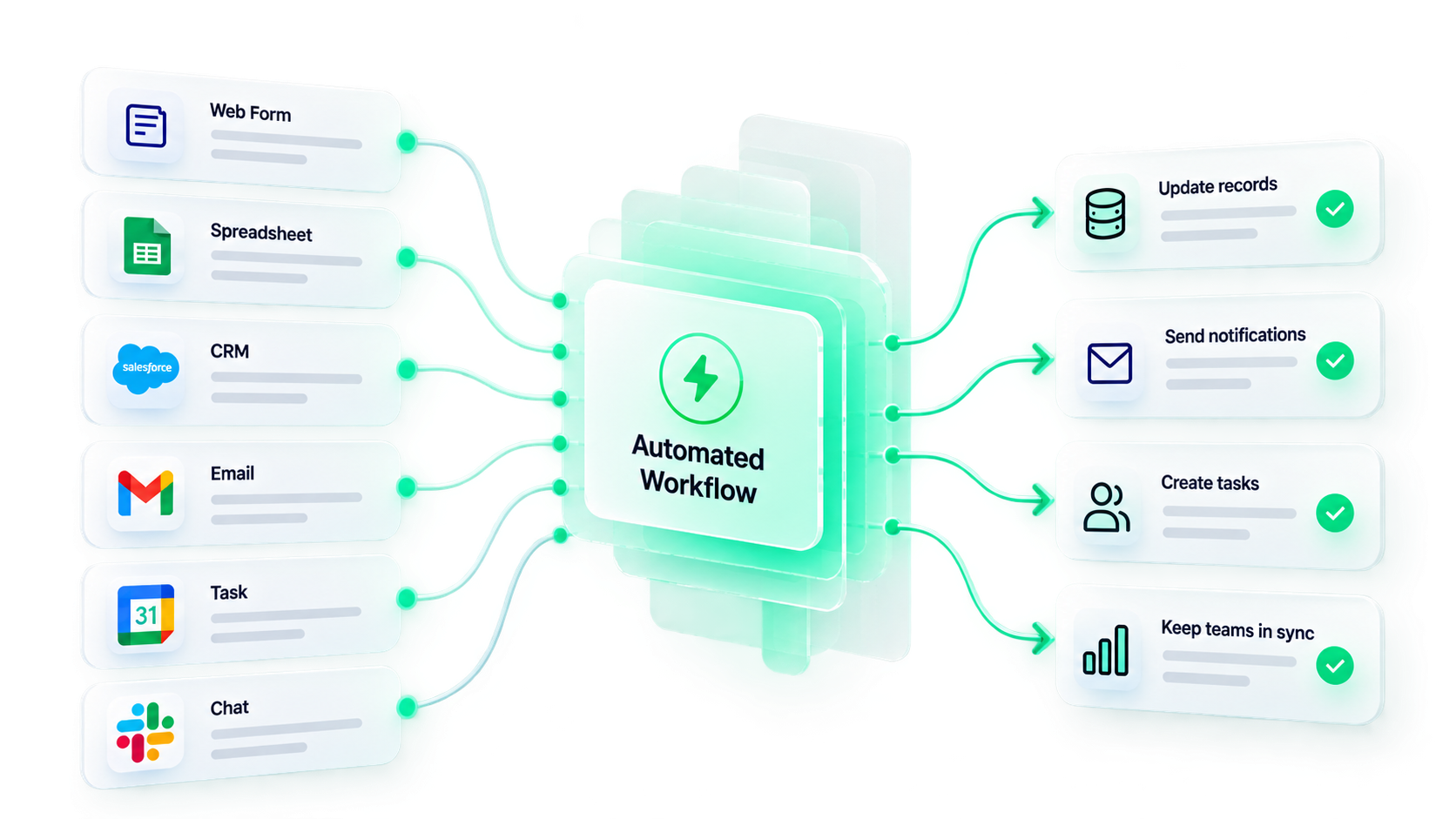
Inputs from Web Form, Spreadsheet, CRM, Email, Task and Chat flowing into one Automated Workflow, which then updates records, sends notifications, creates tasks and keeps teams in sync.
The manual middle

Manual work hides between the tools.

The tools usually work fine on their own. It’s the copying, checking and forwarding between them that quietly eats the day.

Watch the manual work between the tools.
FormNew leadCopy
SpreadsheetLead rowCheck
CRMCustomerForward
SlackTeam pingRemember
EmailFollow-upManual

The tools aren’t always the problem. The manual work between them is.

01 · Anatomy

Every automation has
three basic parts.

Trigger, logic, action. Pick a scenario — the same three parts reshape around it.
01
Trigger

Something happens.

New lead from website
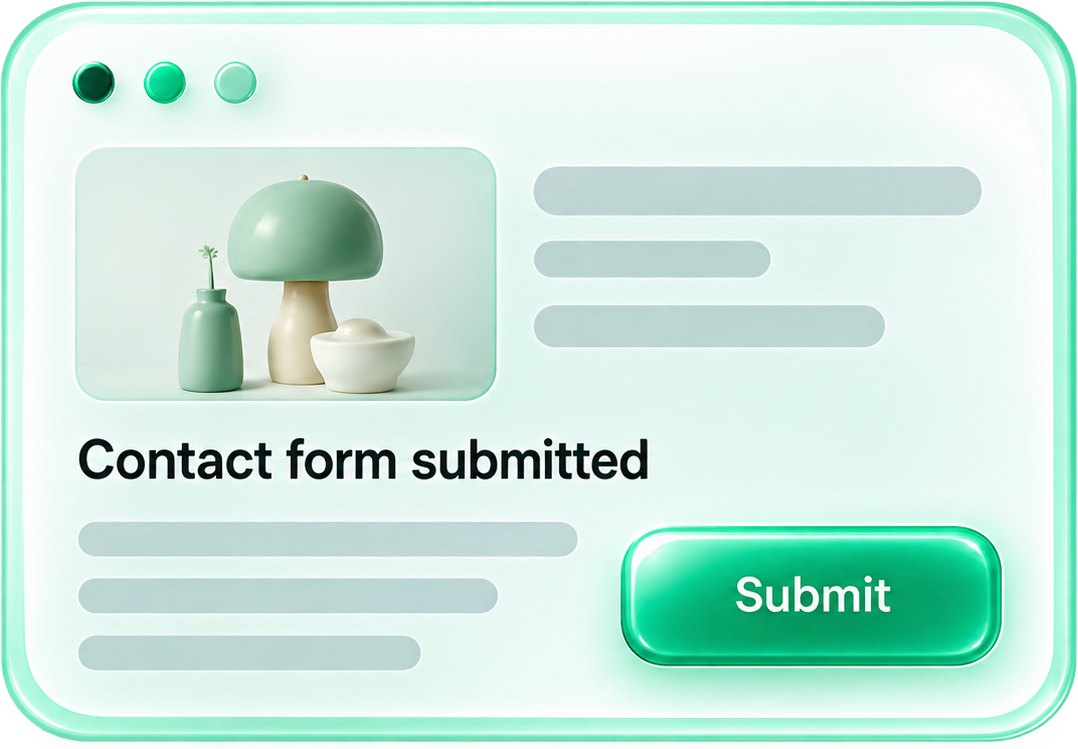
A contact form submitted in a browser window, ready for automation.
02
Logic

The system decides what happens next.
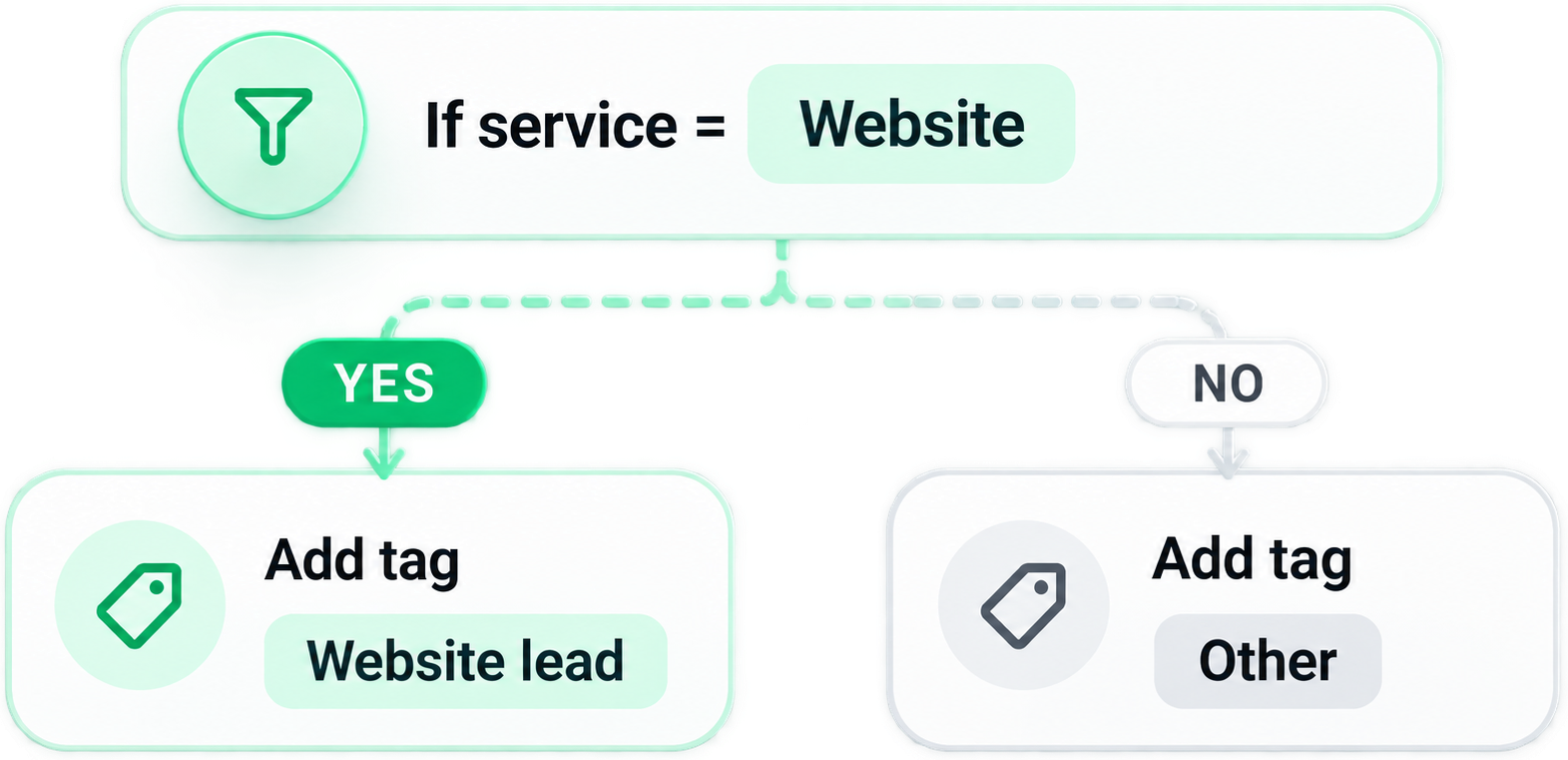
A condition: if service equals Website, branch to Add tag Website lead (yes) or Other (no).
03
Action

The system does it.

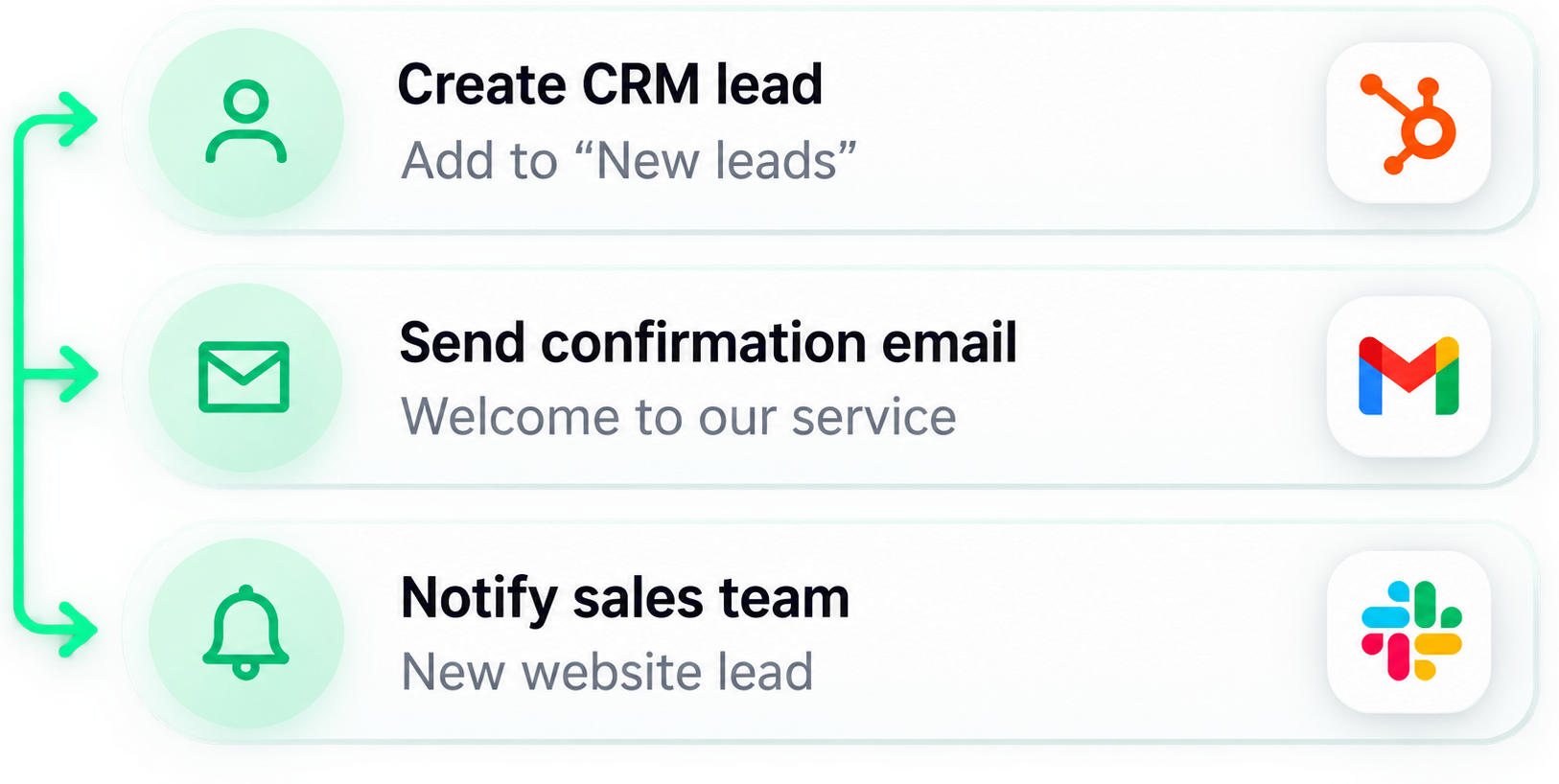
Actions: create a CRM lead, send a confirmation email and notify the sales team — connected to your tools.
Trigger
Result
Owner notified, confirmation sent
From form submit to follow-up — fully automated.
Less manual work. More real results.

Illustrative example — every automation is shaped around your real process.

02 · One lead, followed

Let’s follow
one lead.

A single event moving through the whole flow — validated, recorded, routed, answered and followed up, without anyone re-typing a thing.
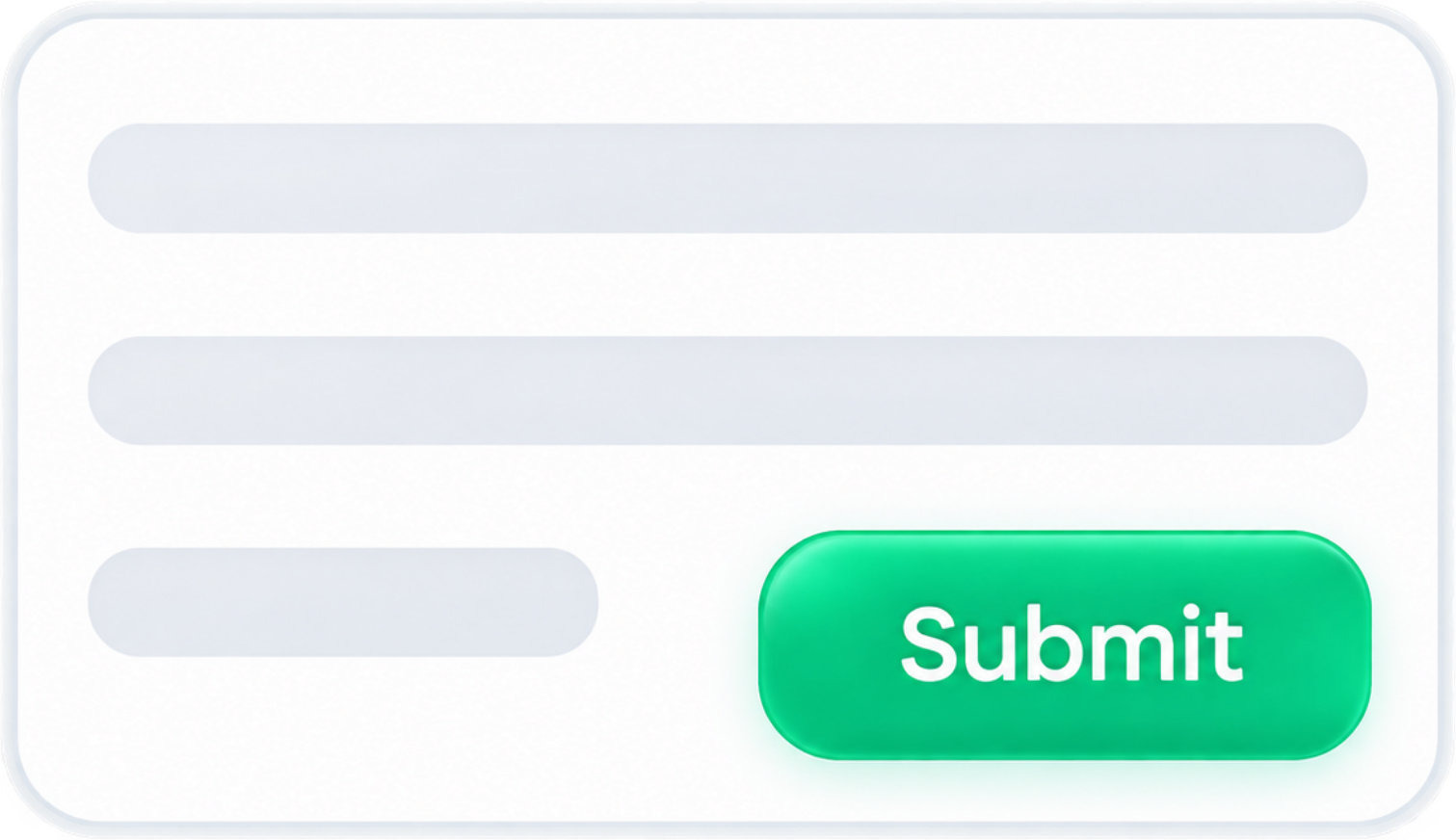
Customer submits form
Name, email, phone, service, location.
A form being filled in and submitted.
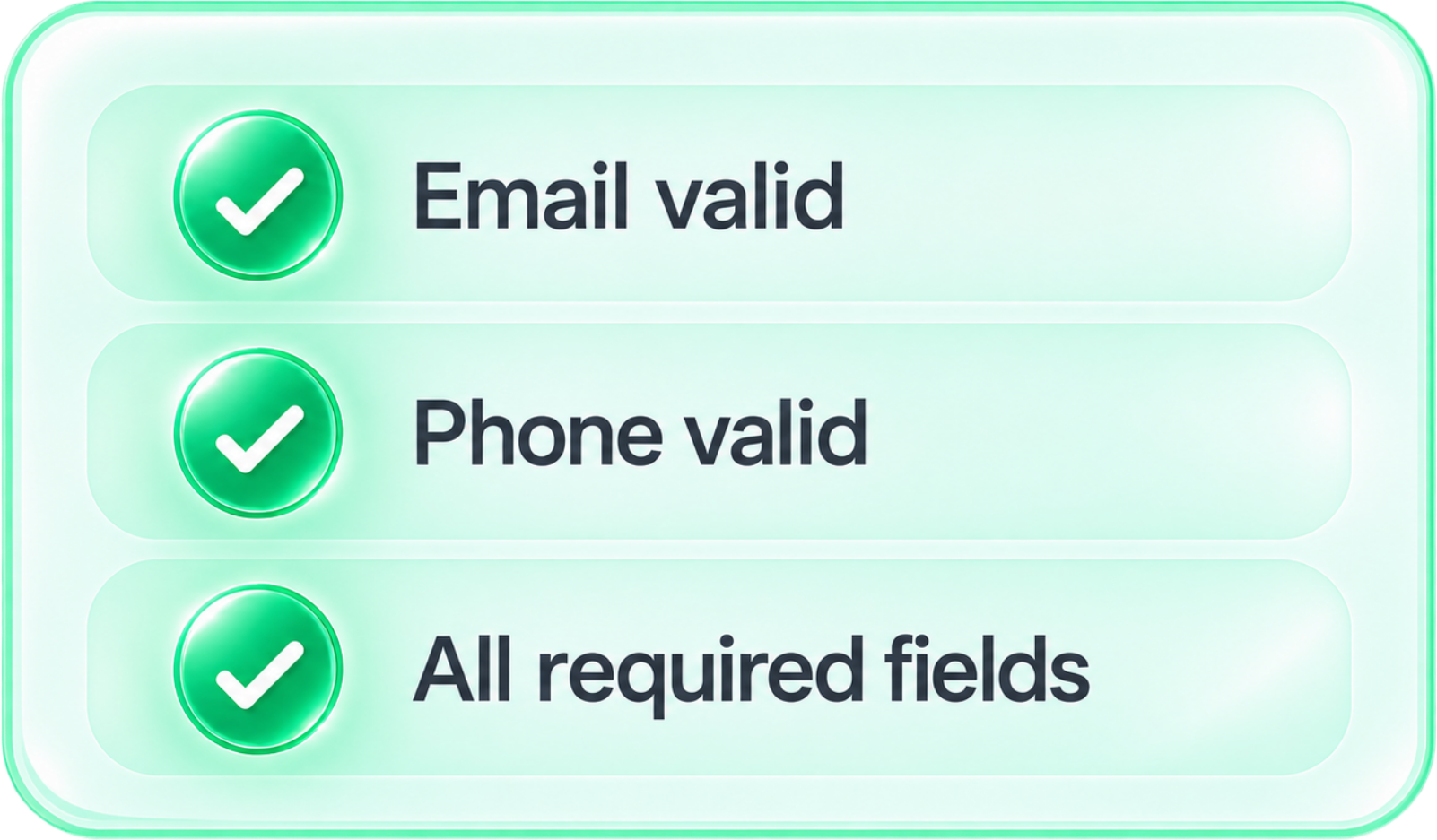
Data is validated
Format checked, required fields confirmed.
Validation checklist: email valid, phone valid, all required fields.
CRM record created
A clean customer record, no re-typing.
Connected CRMs: HubSpot, Salesforce, Notion, and more.
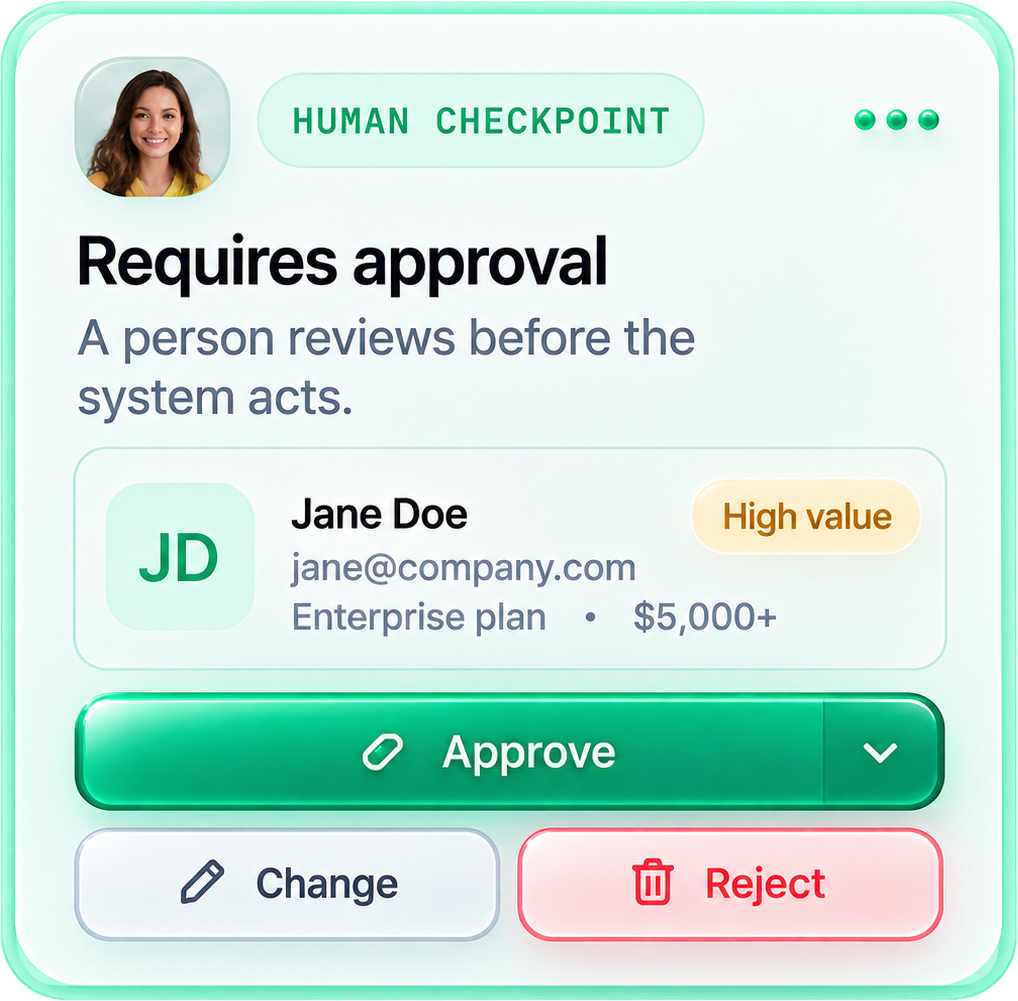
Requires approval
A person reviews before the system acts.
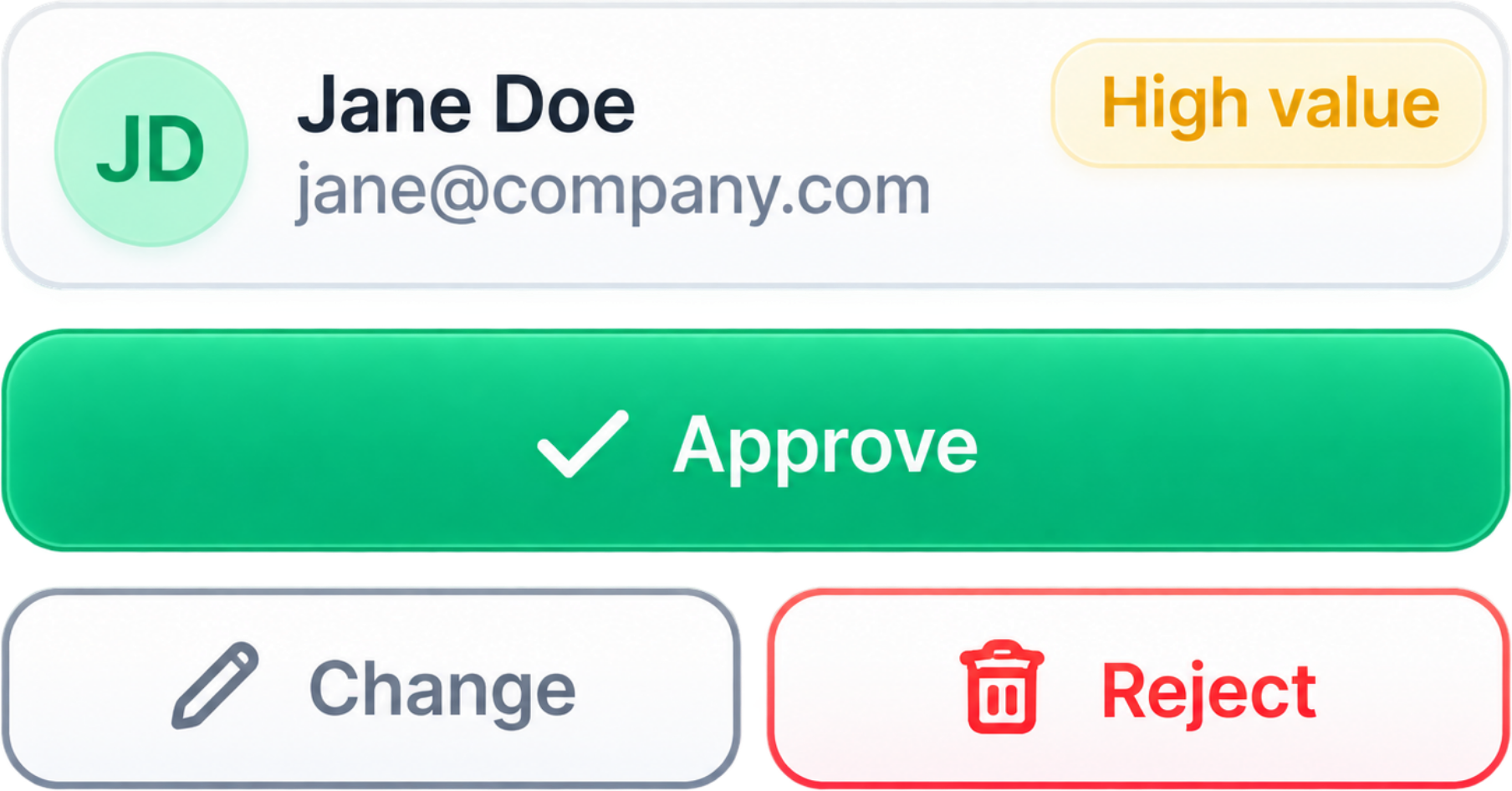
Jane Doe, a high-value lead, awaiting Approve, Change or Reject.
Lead is routed
By service, territory or availability.
Sales
Support
Onboarding
Owner is notified
Slack, email or internal alert.
Notifications via Slack, email, an internal alert, and more.

Automation should remove busywork — not remove control.

Faster processingBetter decisionsHappier customers

Illustrative flow — the same shape works for bookings, orders, intake and support.

Conditions

Not every case
follows one path.

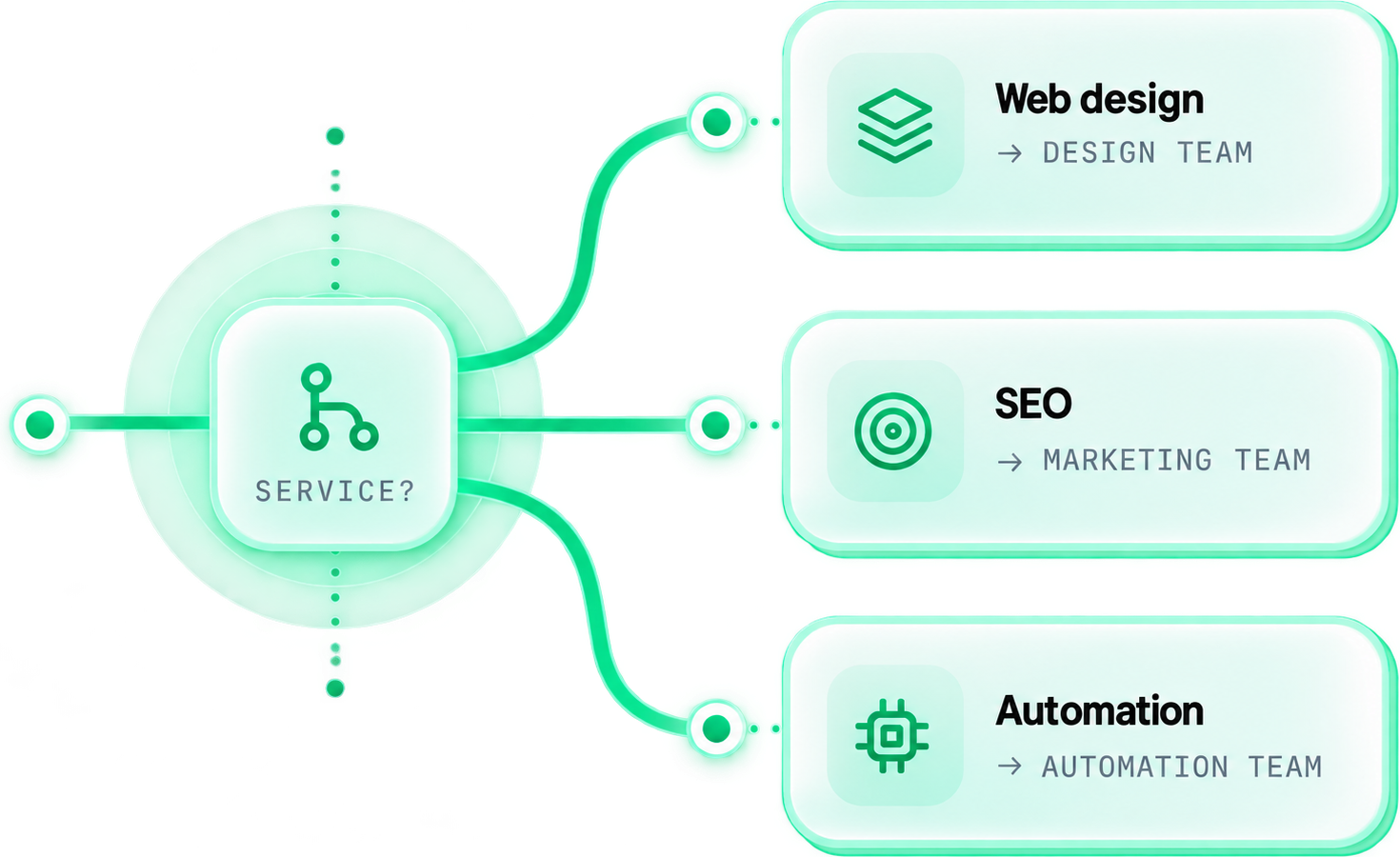
One event, many outcomes. Logic reads the details and sends each case down the right channel — automatically.

Event · New leadCondition · Service?
One event — a new lead — hits a Service? condition and branches to Web design → Design team, SEO → Marketing team, or Automation → Automation team.

Illustrative routing — branches map to your teams, territories and rules.

03 · Human in the loop

Automate the routine.
Keep the human decisions.

Real example

High-value leads are reviewed before they’re assigned to a sales rep.
Automated steps
New requestForm submitted on website
Data collectedName, email, phone, service
ValidatedRequired fields and rules
A human checkpoint card: Jane Doe, a high-value enterprise lead, awaiting Approve, Change or Reject before the system continues.
After approval
System continuesLead is assigned to sales rep
Actions executeCRM update, Slack notification
Customer follow-upPersonalized email is sent

Automation should remove busywork — not remove control.

Faster processingBetter decisionsHappier customers

04 · Workflow builder

Built around your actual process.

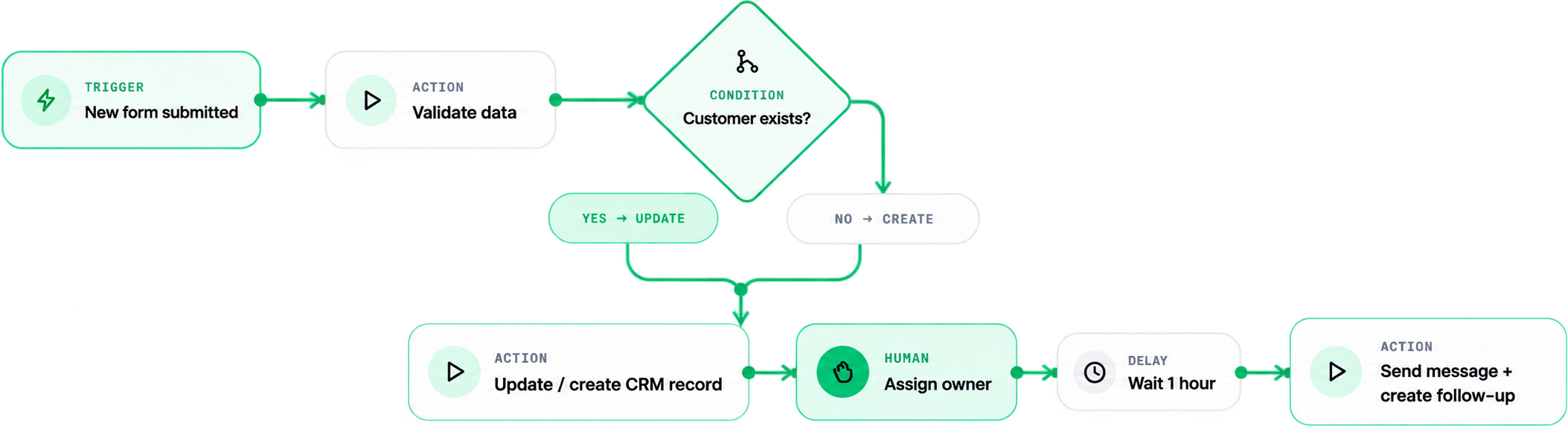
Triggers, conditions, actions, waits and human checkpoints — each with its own shape, assembled into your flow.
A workflow: Trigger (new form submitted) → Action (validate data) → Condition (customer exists?) branching to Yes → Update or No → Create, then Action (update / create CRM record) → Human (assign owner) → Delay (wait 1 hour) → Action (send message + create follow-up).

Illustrative build — HiKit designs its own visual language, not a copy of any tool.

One record, no re-typing

Keep the tools.
Remove the gaps.

The same customer record moves across your tools automatically — no copying, no re-entering, no lost context.
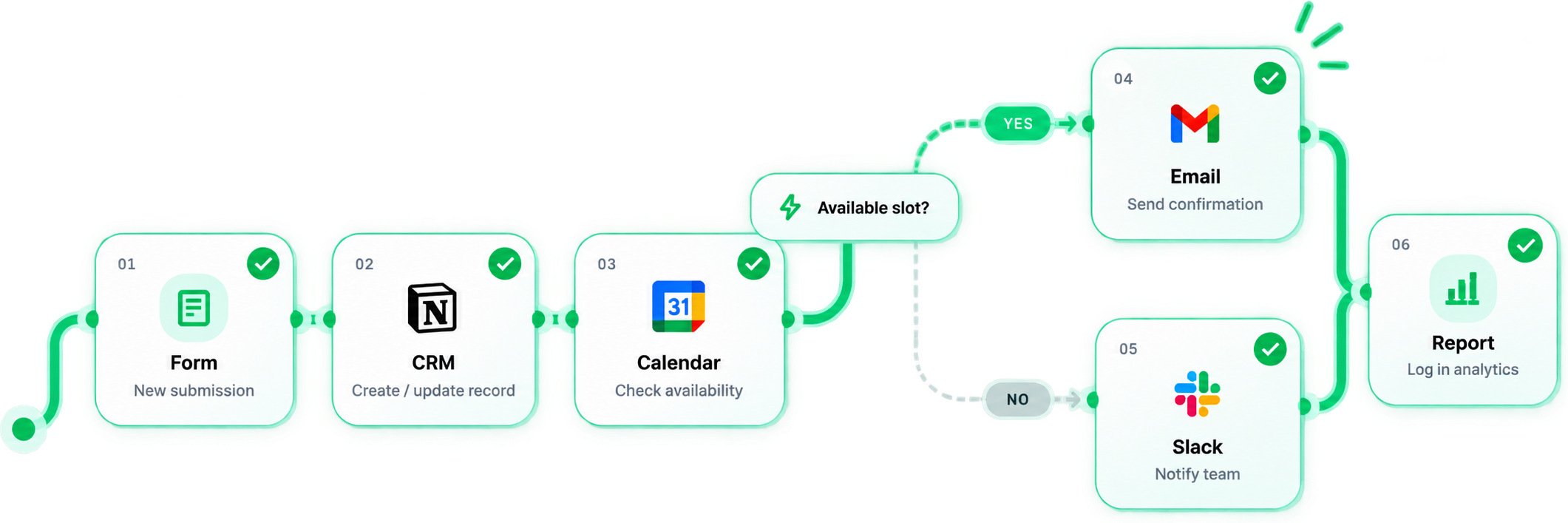
Customer recordNew
NameJordan Lee
Emailjordan@acme.co
ServiceWebsite
SourceContact form
CreatedApr 24, 2024 · 10:15 AM
One customer record moving through Form → CRM → Calendar, then branching on an available slot to Email (yes) or Slack (no), and logged in a Report — moved by the system, not by hand.

Illustrative data — connected via your platform, Make, n8n, Zapier or a direct API where it fits.

05 · Build & test

We don’t just connect it.
We try to break it.

Switch the case — normal, missing data, duplicate, API error — and watch the flow catch, retry and recover.
Test run — Normal caseAll steps passed
Trigger
New form submission
0.3sStep 1 / 5
Data
Collect & validate
0.6sStep 2 / 5
CRM
Create / update record
1.1sStep 3 / 5
Condition
Check rules
0.4sStep 4 / 5
Notification
Send message
1.8sStep 5 / 5
Everything worked as expected. No manual steps required.

Illustrative test cases — we test the exceptions, not only the happy path.

06 · Automation ≠ AI

Automation doesn’t
always need AI.

Most of what slows a business down is just clear logic. We add AI only where it genuinely helps.
Rule

If X → do Y.

New lead → notify owner
Logic

Conditions & branches.

Route by service & territory
Automation

Multi-step, connected.

Validate → CRM → assign → send
Optional
AI

Judgement on messy input.

Summarise & classify a request
Rule

Most automation is just clear logic. We use AI where it adds value — not because it’s trendy.

Honest by default

07 · Who this is for

You probably don't need more software. You may need a better process.

01Your team copies the same data between tools
02Leads wait because someone has to route them by hand
03Follow-ups depend on someone remembering
04Reports mean repetitive spreadsheet work
05Your tools exist but don't talk to each other
06Important exceptions quietly get lost
07Your team maintains the process instead of doing the work

08 · What you own

Built for your business.
Owned by your business.

Handed over as a complete, documented system — automations, logic, connections, access and error handling. No black box, no lock-in.


Automations
You own every workflow, trigger and action.
Connections
All integrations, APIs and data sources.
Logic & branches
Full visibility into how it works.
Error handling
Transparent error flows and recovery steps.
Accounts & access
You control all accounts, permissions and access.
Documentation
Clear, structured docs for your team.
Test cases
Real test cases so you can validate and iterate.
Full handover
A complete, working system ready for your team.
Full visibility

You can see what triggers it, what it does and where data goes.
Clear ownership

You know what happens on error — and who owns it.
A working system with documentation — not a black box.

FAQ

Straight answers.

What the build covers, how the logic works, and what you own at the end.

Mapping your current process; designing the triggers, logic, actions and exception handling; connecting the right tools; building and testing the automations (happy path and edge cases); documentation; and a walkthrough at handover. You end up with a working, documented system that you own.

Ready when you are

Stop doing the work
between the work.

We map the process, design the logic, connect your tools, handle the exceptions and keep a human in control — then hand you a working system you own.

CopyPasteCheckRemindUpdate