UI / UX Design

Design the task.
Not the screen.

We design product interfaces around the real tasks users need to complete, then turn those flows into clear, consistent and testable experiences.
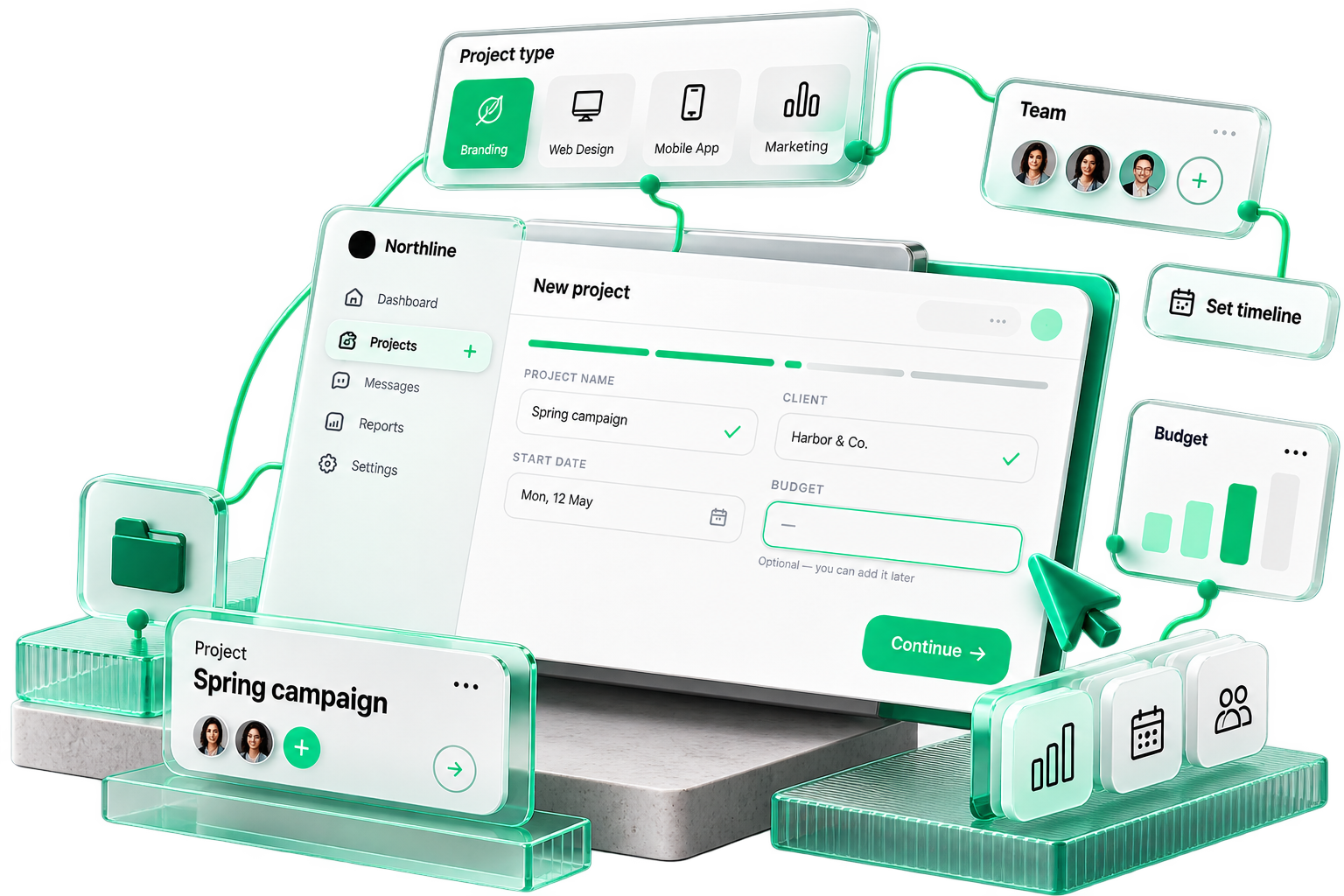
A product task flow from user goal to finished interface

01 · Start with the job to be done

What is the user
trying to finish?
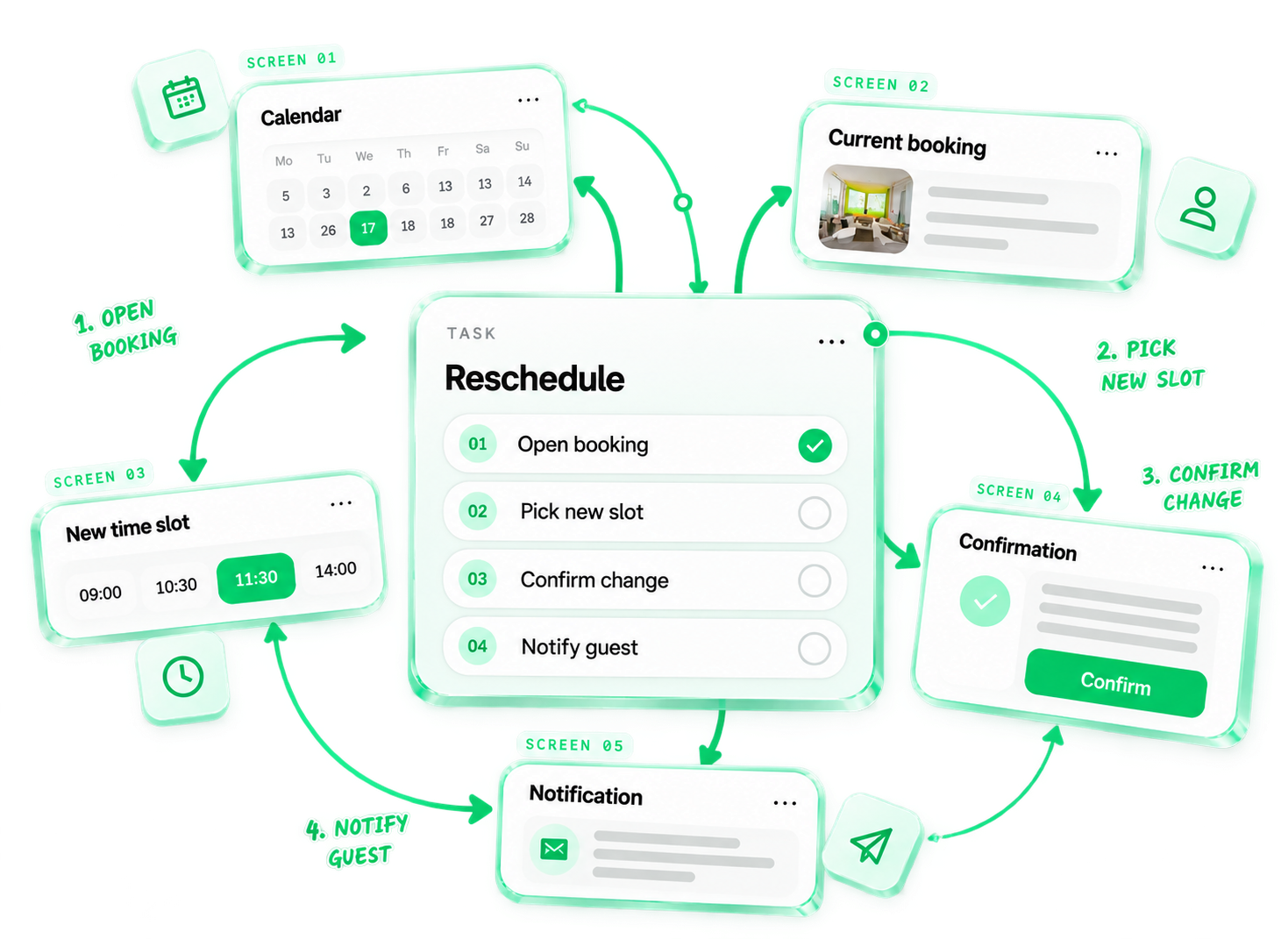
Task → flow → screens: rescheduling a booking in four steps

02 · Roles

The same product isn’t
the same for every user.
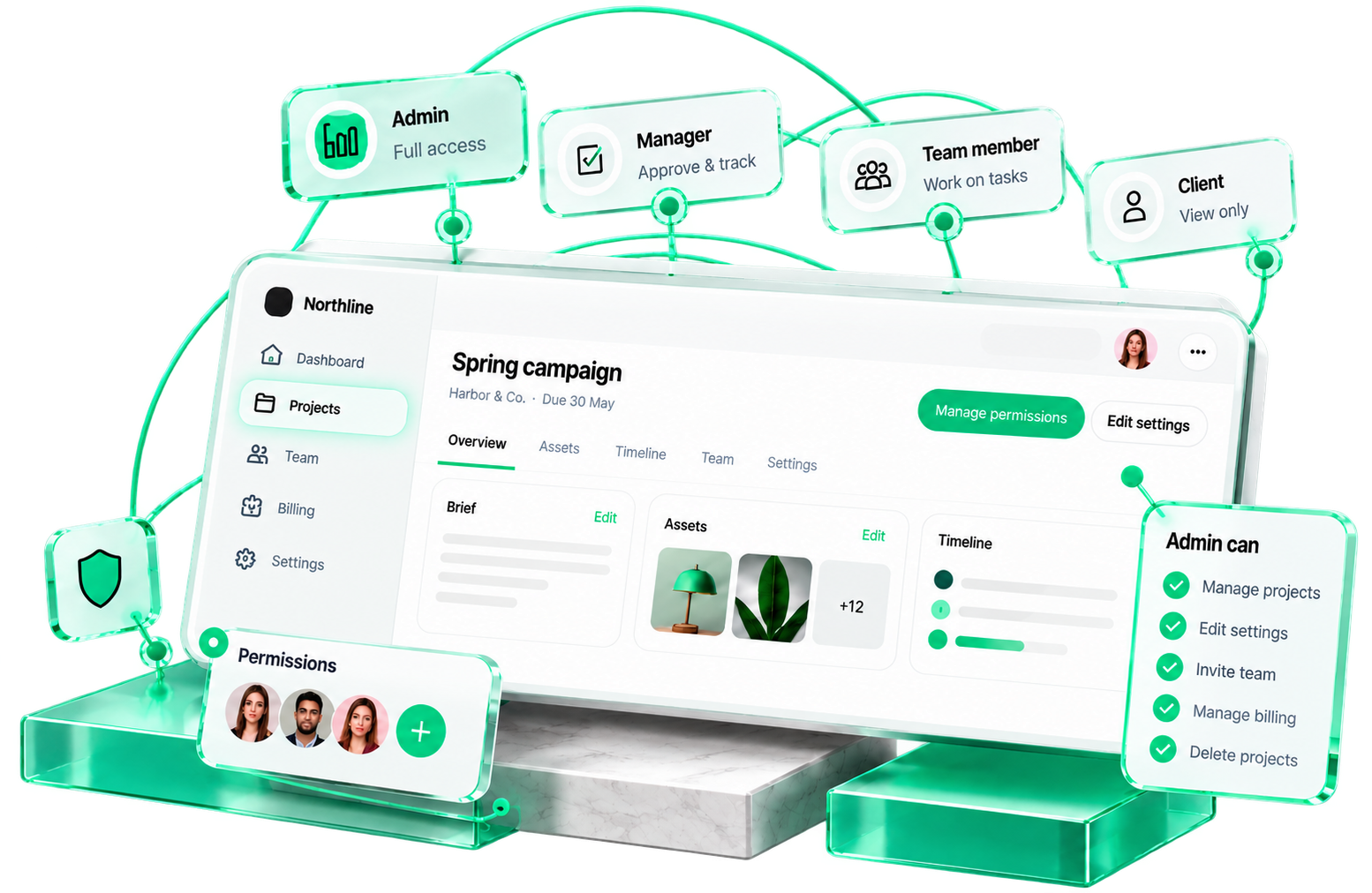
One product surface. Navigation, actions and edit rights change with the role.
One product surface adapting to Admin, Manager, Team member and Client roles

03 · User flow

Remove the steps
that don’t need to exist.

A shorter flow means less friction, fewer errors and a faster path to the goal.
01 · Start
Dashboard
HomeProjectsSettings
Entry
02 · Page
New page
+
1 click
03 · Form
Page details
New pageStandard page▾
2 fields
04 · Page
Content
Editor
05 · Remove
Review
Extra step
✕
06 · Submit
Publish
Title✓Content✓
Publish
Merged
07 · Success
Success!
Your page is live.
View page →
Done
Remove
Pages that only add “next”.
Merge
Review + submit combined.
Default
Known fields prefilled.
Autofill
Account data reused.

04 · Decision paths

Products have
more than one path.
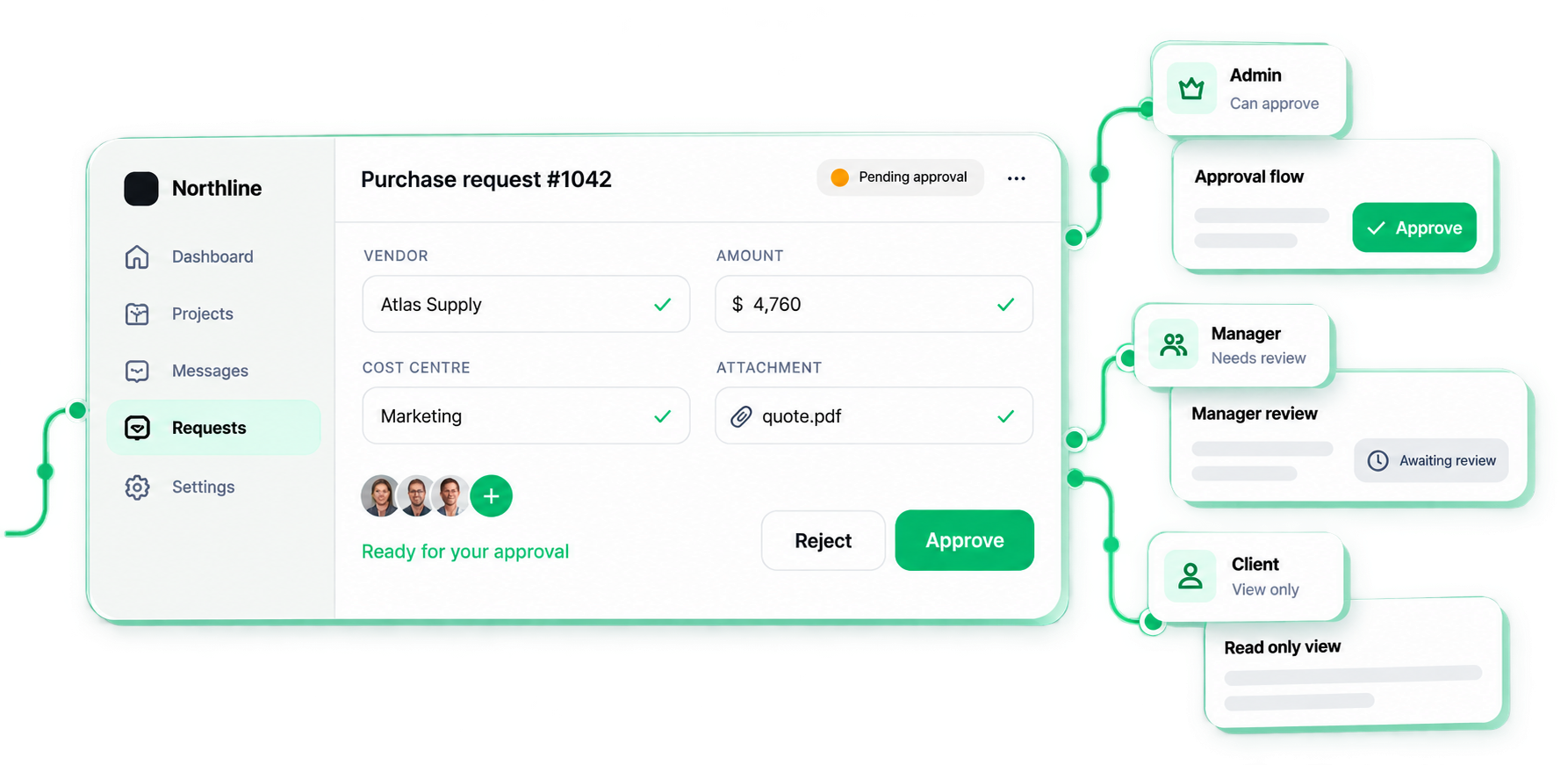
The same request can lead to different flows depending on the user’s role, data and context.
Question 01
Is the information complete?
Question 02
Does the user have permission?
Purchase request interface leading to admin, manager and client flows

05 · Wireframe → finished design

Structure first.
Style second.
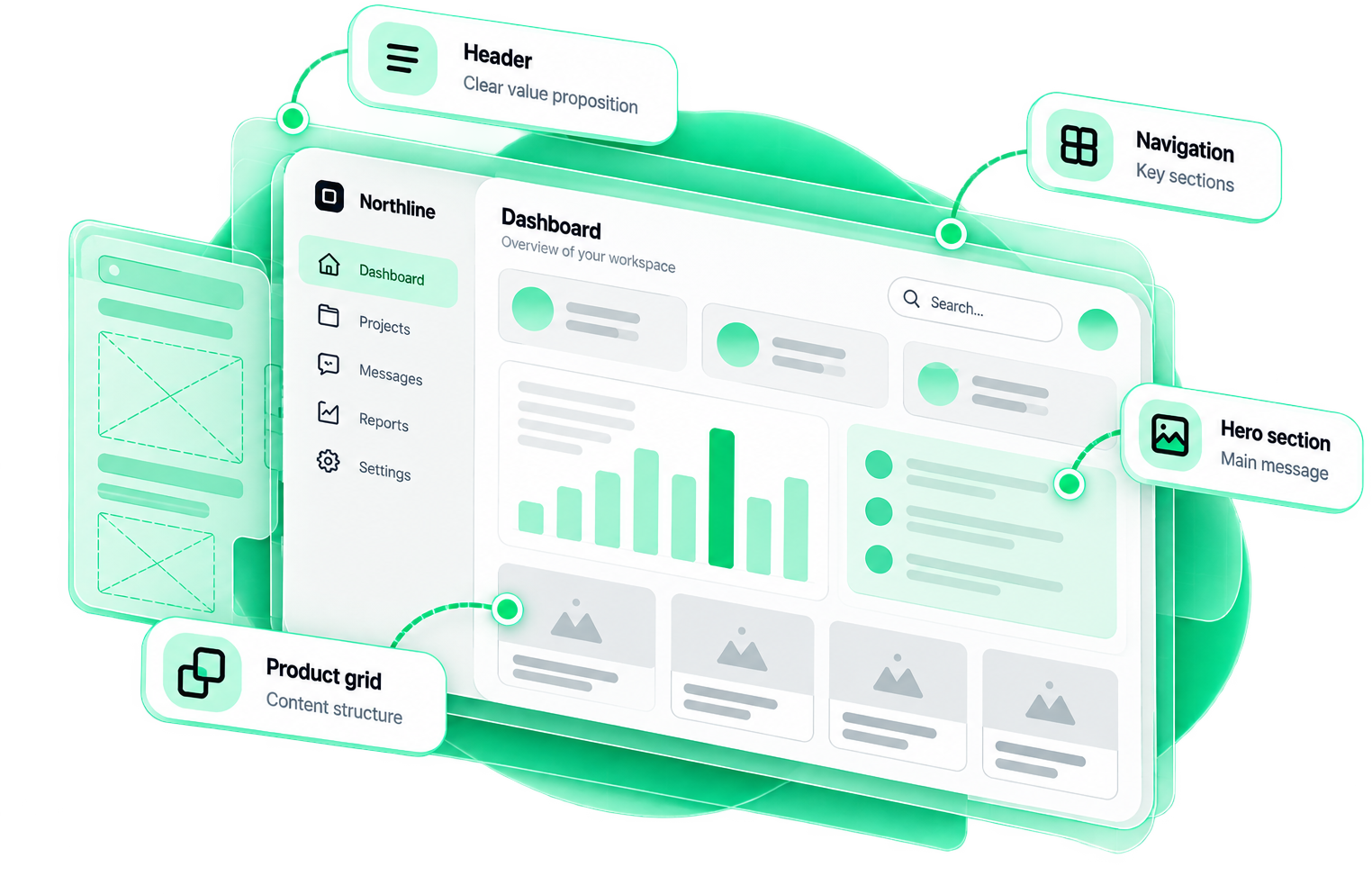
One screen. Step through, and the skeleton becomes the finished design.
Wireframe stage of the same screen

06 · Information architecture

Put things
where users expect them.
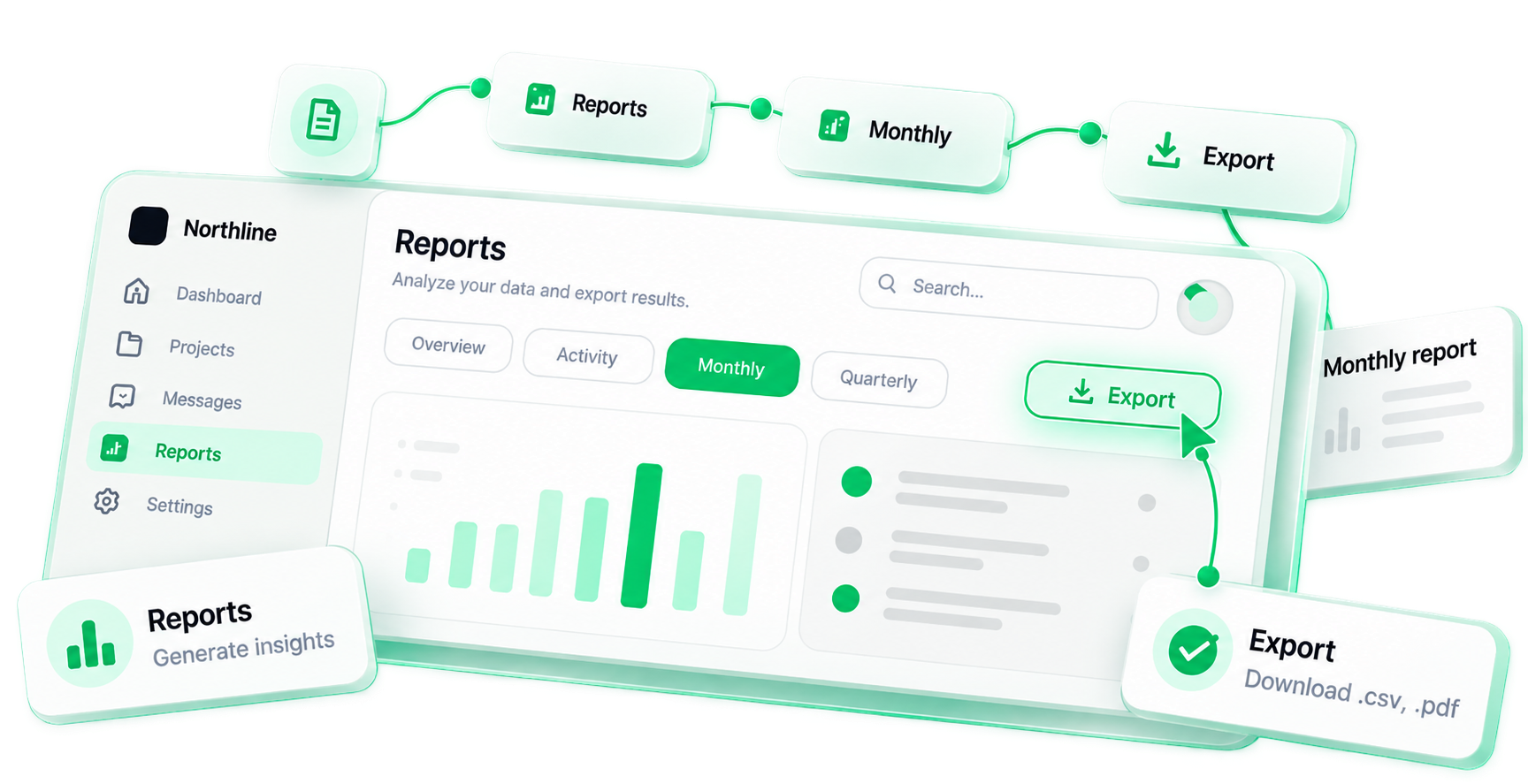
Choose a task — see where it lives in the product.
Sample product: Reports → Monthly → Export navigation path

07 · Desktop / mobile

Same task.
Different interaction.
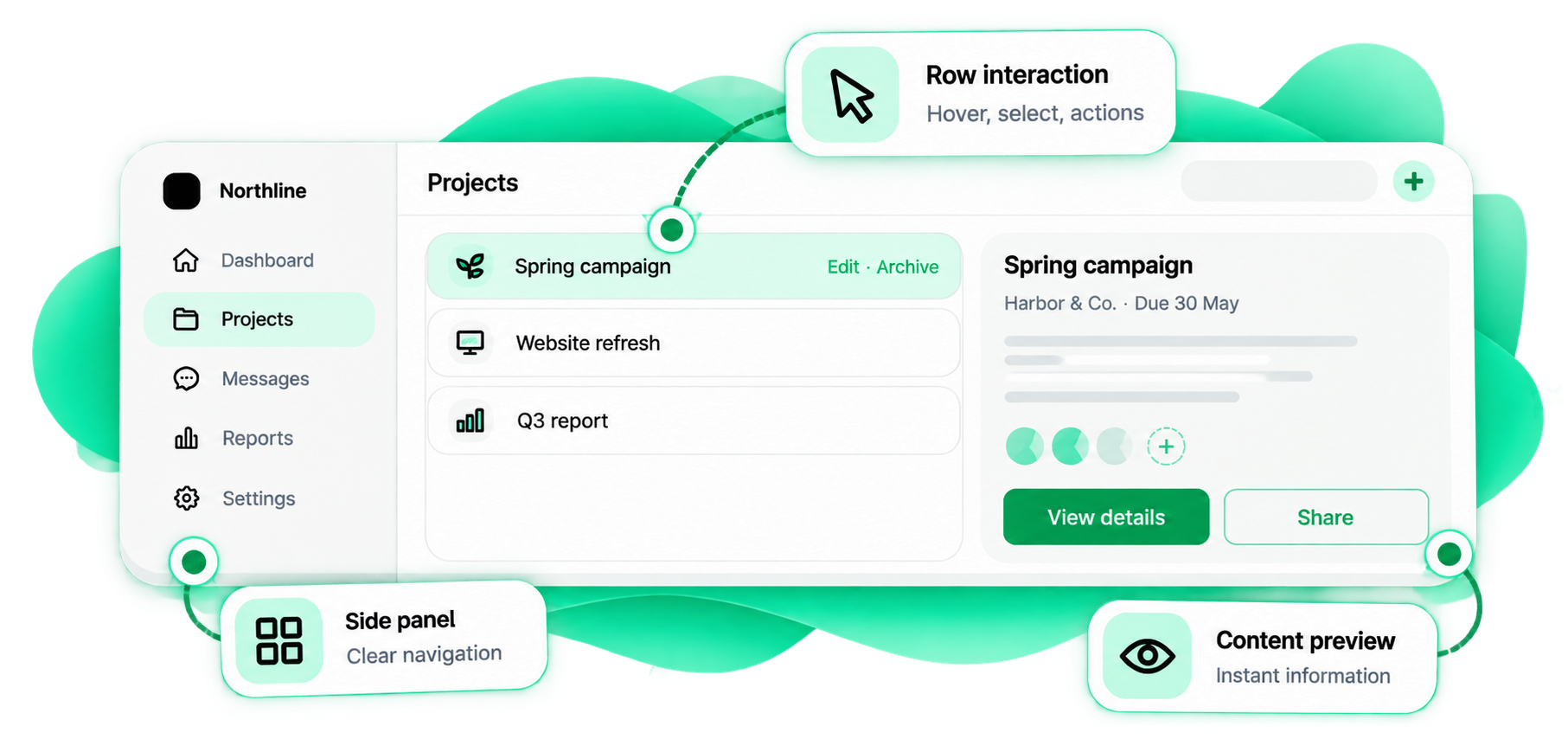
Desktop: row interaction, side panel and content preview
9:41●●
‹ Projects
Archive
Spring campaign›
Archive
Website refresh›
Archive
Q3 report›
Row interaction
Hover, select, actions
Side panel
Clear navigation
Content preview
Instant information
Touch interaction
Tap to open
Mobile layout
Simplified & focused

08 · What good UI/UX is not

Not more screens.
Fewer questions.
A product people understand the first time — with every path, state and handoff thought through.
No
Pretty screens, guessing and dead ends
Pretty dashboard, unclear actionsWhere do I click?
Happy-path-only designsEdge cases missing
Every action visible at onceOverload
Desktop logic copied to mobileHard to tap
Errors with no recoveryDead end
Developers guessing statesRework
→
Yes
Clear tasks, systems and documented behaviour
✓
01Clear tasks
Each screen has one main job.
✓
02Short flows
Steps that don’t add value are removed.
✓
03Sensible defaults
Known data is prefilled.
✓
04Predictable patterns
Same action, same behaviour.
✓
05Complete states
Empty, loading, error, success.
✓
06Tested prototype
Clicked through before it’s built.
✓07Documented behaviour

09 · Who this is for

You probably need better UI/UX if…

01Users ask how to complete basic tasks
02Important actions take too many steps
03Your product grew without a clear system
04Different screens behave differently
05Edge cases were never designed
06The team argues about flows during development
07Mobile interactions feel copied from desktop
08Developers keep inventing missing states
FAQ

Straight answers.

How we work, what you receive, and how it gets built.

UX design is about how the product works: the flows, the structure, and how easily people complete their tasks. UI design is about how it looks: the visual layer of screens, components, and states. They depend on each other, and we design both together so the product is clear and easy to use.

Ready when you are

Make the product
feel obvious.

User goal → flow → wireframe → interface → states → prototype. Designed, tested and ready to build.