

Department · Automation
Systems that work while your team sleeps.
AI workflows, integrations and automations that remove manual work, scale your operations and free your team for what matters.
- No rip-and-replace
- Monitored 24/7
- First workflow in 1–2 weeks
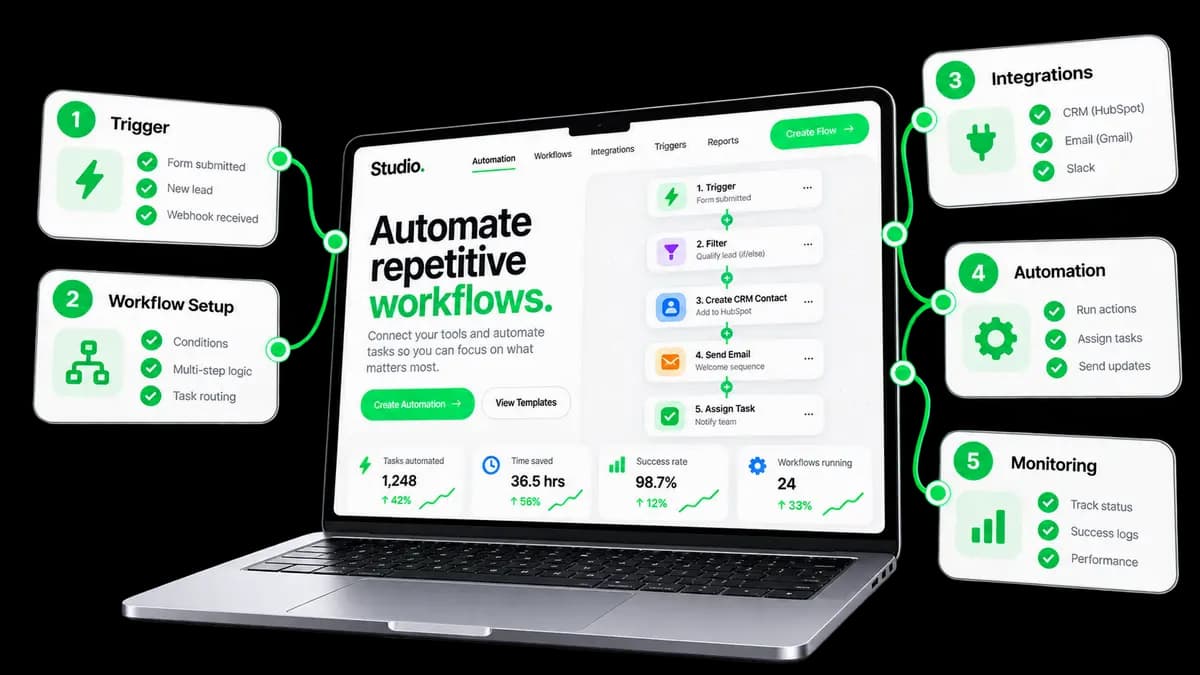
What we automate
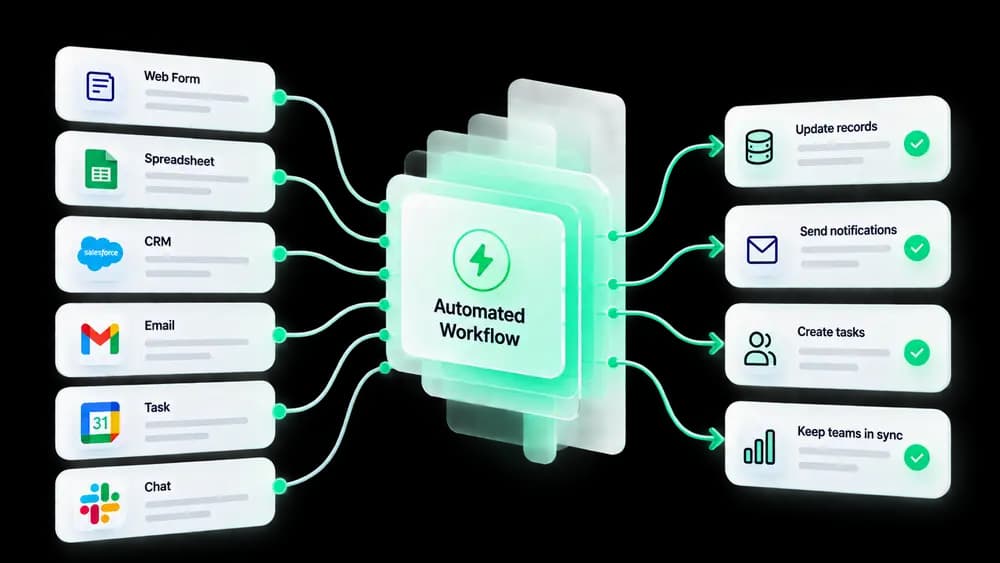
Six systems, zero busywork.
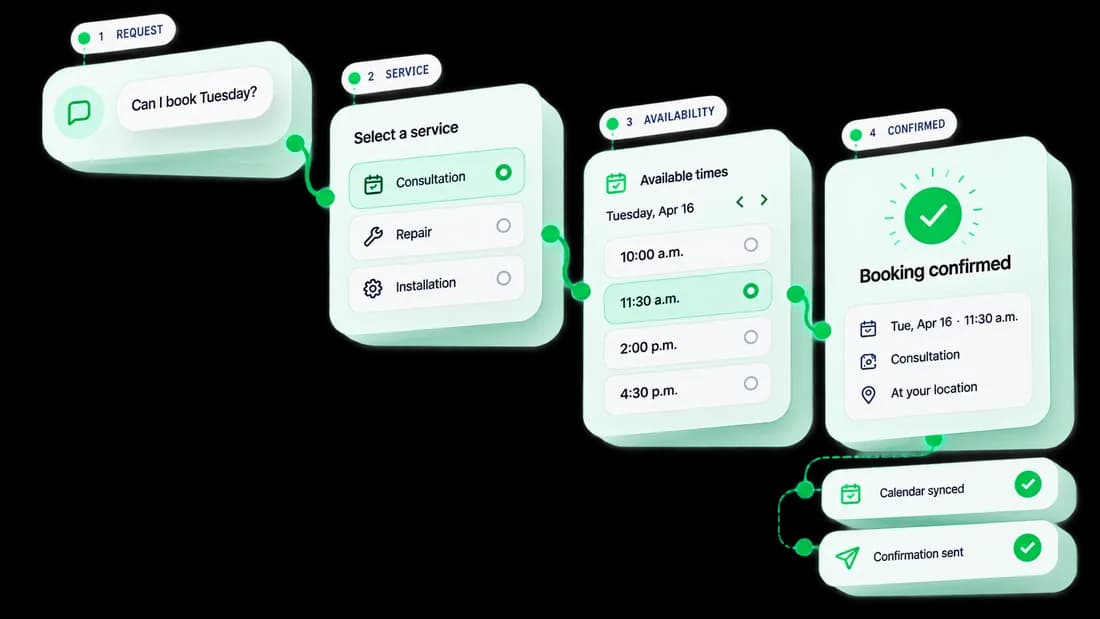
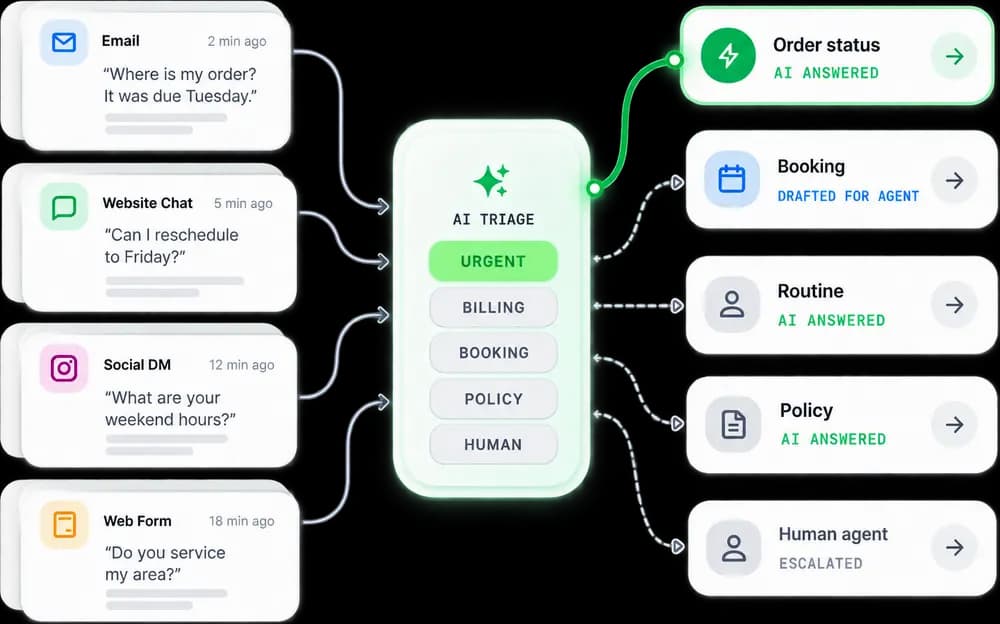
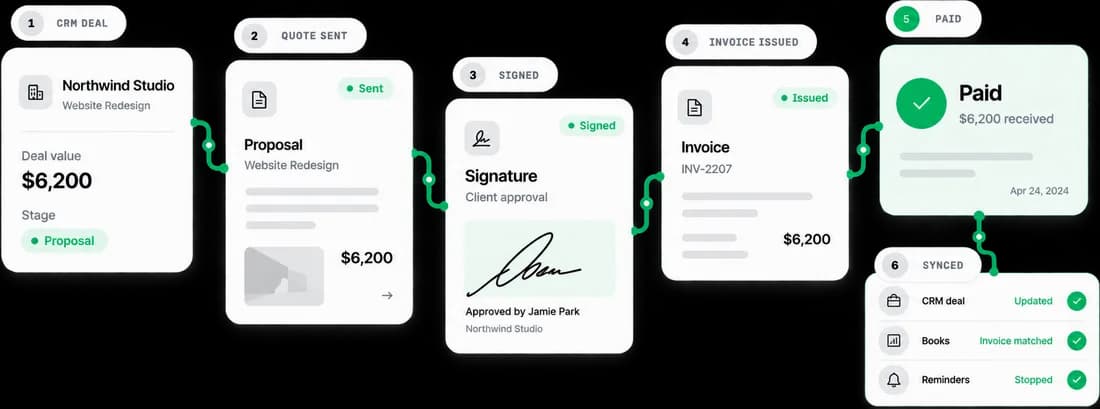
Start with the task that eats the most time. Everything connects, so the next automation builds on the last.
What you get
Less busywork. More output.
We take the repetitive, error-prone tasks off your team’s plate and let software — and AI — handle them.
 01
01Hours back every week
Automate the repetitive work your team shouldn’t be doing by hand.
 02
02Fewer errors
Reliable workflows that don’t skip steps, drop data or forget follow-ups.
- Lead capturedDone
- Added to CRMDone
- Follow-up sentDone
- Call bookedDone
 03
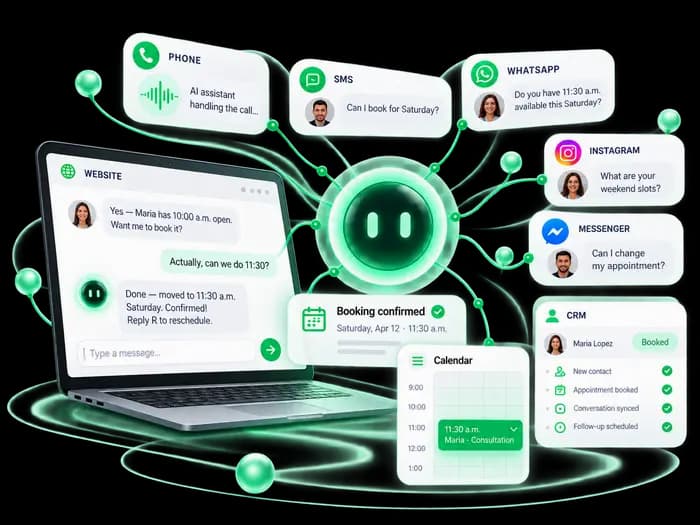
03AI that does the work
Voice and chat assistants handling real tasks around the clock.
Can I book a visit for Friday?
Friday 10:00 is free — booked and added to your calendar.
AI agent · 2:14 AM
 04
04Connects your tools
Make, Zapier and n8n wire your existing stack together — no rip-and-replace.
Figures in the illustrations are examples.
Tools we use
The right tool, no lock-in.
We pick the right tool for each automation, with no bloat. From simple workflows to AI-powered systems, we wire it all together.
- Built on the tools you already use
- Tested on real cases and edge cases
- Monitoring with alerts before you notice
- Docs and a walkthrough for your team
40h
saved / week
1–2w
first workflow
24/7
running
01 · 4 tools
Workflows
The engines that move data between your tools on their own.
02 · 4 tools
AI & voice
Models and voice agents that read, write, answer and book.
03 · 4 tools
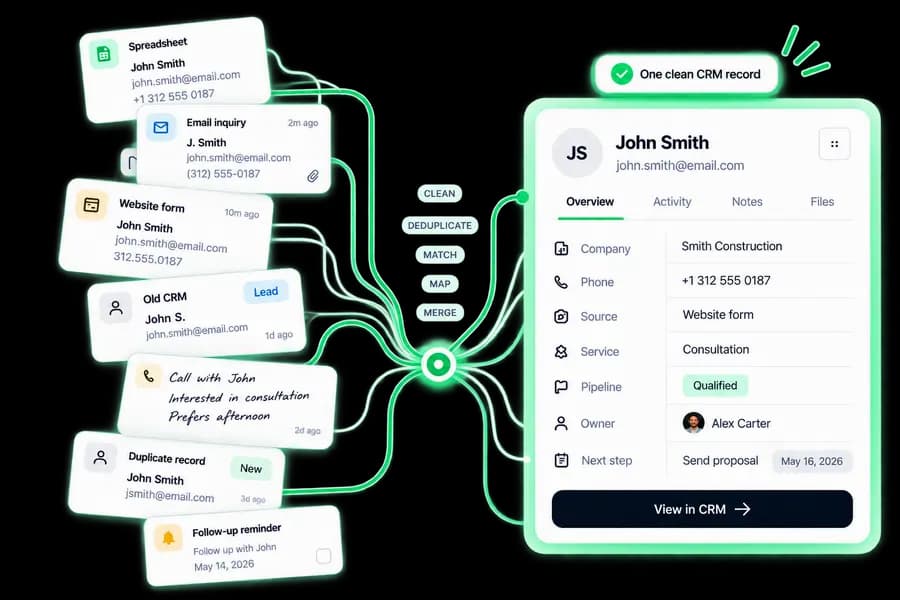
CRM & sales

Every lead, deal and follow-up in one clean pipeline.
04 · 4 tools
Docs & payments

Quotes, signatures and invoices that send and chase themselves.
Process
How we automate.
From mapping the process to running it in production. Exact dates come in your plan after the first call.
- 01

Week 1
Map
We map the manual process, the tools involved and where time leaks out.
- 02

Week 1
Design
We design the workflow and the logic: exactly what happens and when.
- 03

Week 1–2
Build
We wire it up across your tools and add AI where it brings real value.
- 04
Pre-launch
Test
We run it against real cases and edge cases until it’s reliable.
- 05

Ongoing
Run & refine
It runs in production while we monitor, tune and expand what’s automated.



FAQ
Straight answers.
What can actually be automated?
Lead qualification, booking, follow-ups, reporting, invoices, CRM updates, onboarding and more. If it’s repetitive, it can usually be automated.
Do I need technical knowledge?
None. We handle all the technical setup. You see the results: time saved and tasks done automatically.
What tools do you build on?
Make.com, Zapier and n8n for workflows, OpenAI and Claude for AI, Retell AI for voice. We choose the right tool for each case.
How long does automation setup take?
Simple workflows take 1–2 weeks. Complex multi-system automations take 4–8 weeks. We scope it in discovery.
What happens if something breaks?
Our automation subscription includes monitoring and same-day fixes. We get alerted before you even notice.
Related services
Better together.

DEPARTMENT · 01
Development
Portals and apps your automations plug straight into.

DEPARTMENT · 02
Marketing
Campaigns that fill the pipeline your workflows run.

DEPARTMENT · 03
Design
Forms, emails and dashboards people actually enjoy using.
Next step
Start automating.
Tell us what you’re doing manually. We’ll show you how to automate it.